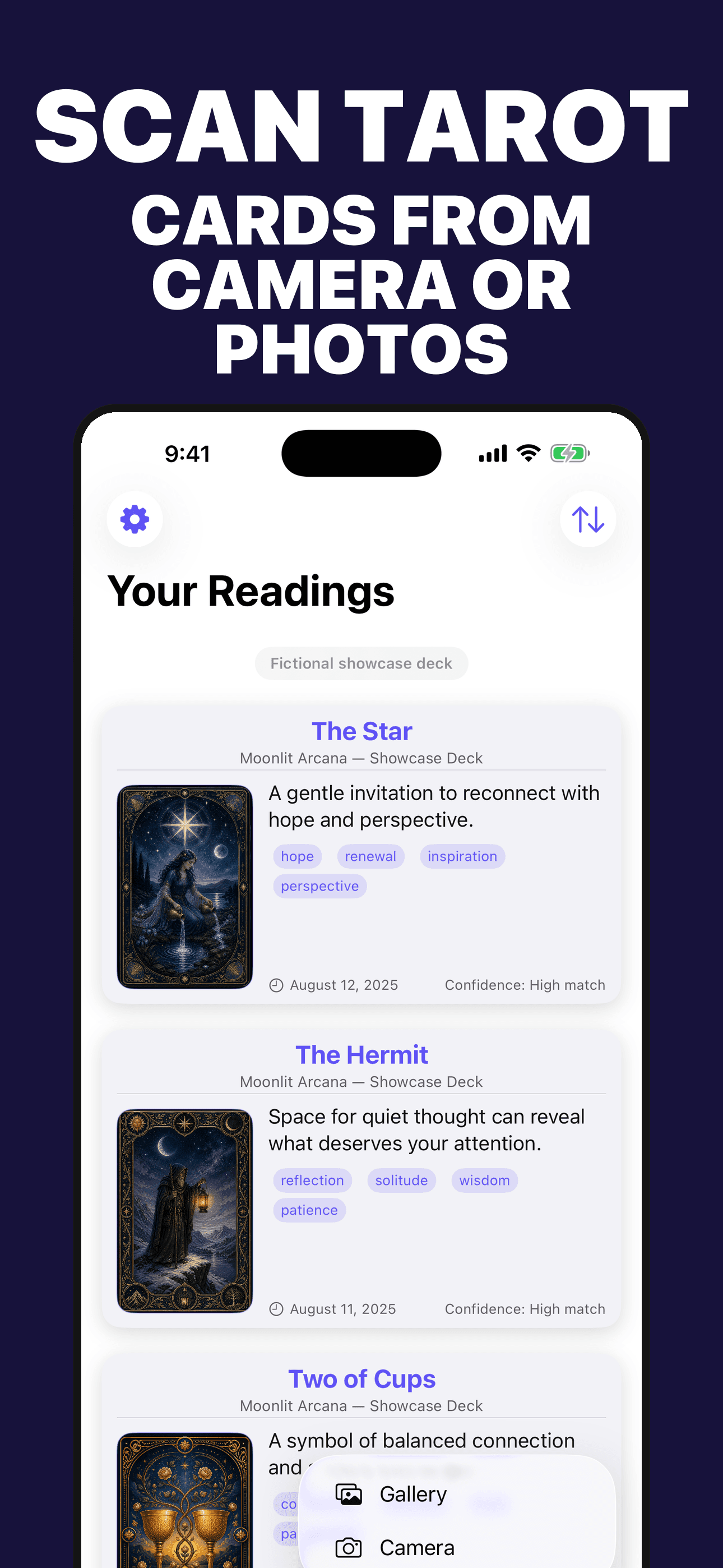
Choose camera or photos
Open the real scanner menu and choose the source only when you want to. Starting a scan sends that selected image for secure recognition.
Card meanings for reflection, not prediction
Choose a card photo for a likely match, organize core symbolism, and save optional reflection prompts in a local library.
Built for the task
Choose camera or photos
The short answer
A direct definition for readers, search engines, and answer systems.
Tarot Scanner is an iPhone card-learning and reflection app that combines a likely photo-assisted card match, upright and reversed perspectives, symbolism, one concise reflection prompt, reference links, sharing, and a locally stored card library.
Tarot interpretations are optional prompts for reflection and entertainment—not predictions, guarantees, or professional advice. Card recognition is a likely match and can be incomplete or incorrect.
Inside the app
Every feature supports the same workflow, so the app feels like a system rather than a folder of disconnected AI buttons.
Open the real scanner menu and choose the source only when you want to. Starting a scan sends that selected image for secure recognition.
Compare the suggested card name with the image rather than treating one result as certain.
Explore key themes, a short summary, traditional meaning, and upright or reversed context for a saved card.
Consider an optional question built from the card context without presenting it as fortune-telling or professional advice.
Save images and interpretations on the device, revisit past entries, and sort by date or title.
The app uses a dedicated proxy with provider, endpoint, model, and request-rate restrictions.
Product tour
Real screens from the current iPhone experience.


How it works
Use the camera or photo library only after selecting that action and granting the corresponding iOS permission.
Check the likely match against the visible name and symbols; image clarity and available information can affect the result.
Read the context, choose whether the prompt is useful, and keep or remove the entry from the local library.
Who it helps
Direct answers
No. Card meanings and prompts are for education, personal reflection, and entertainment. They do not predict outcomes or replace medical, legal, financial, mental-health, or other professional advice.
Starting a scan sends the selected image through Ideas All Day’s restricted AIProxy to Anthropic’s commercial API. The proxy does not store the image or request body. See the Privacy Policy for provider retention and operational-log details.
They show real app UI populated with an original fictional showcase deck created for demonstration. The cards and reflection records are not real user data, commercial-deck scans, efficacy evidence, or predictions.
Saved card images and interpretations are stored locally on the device until you delete them. No iCloud capability is included in the current release candidate.
The app requests camera or photo-library access only after you choose the corresponding action. You can review or revoke either permission in iOS Settings.
Available prices and subscription terms are loaded from the App Store before purchase. Apple manages billing, renewal, cancellation, restoration, and refunds under the applicable account and platform terms.
Preparing for the App Store
The release package is being prepared and the public App Store page will appear after launch.
Coming soon