Chart or ticker analysis
Capture or import a chart, or start from a ticker, to organize the visible setup and current market context.
AI-assisted chart analysis and learning
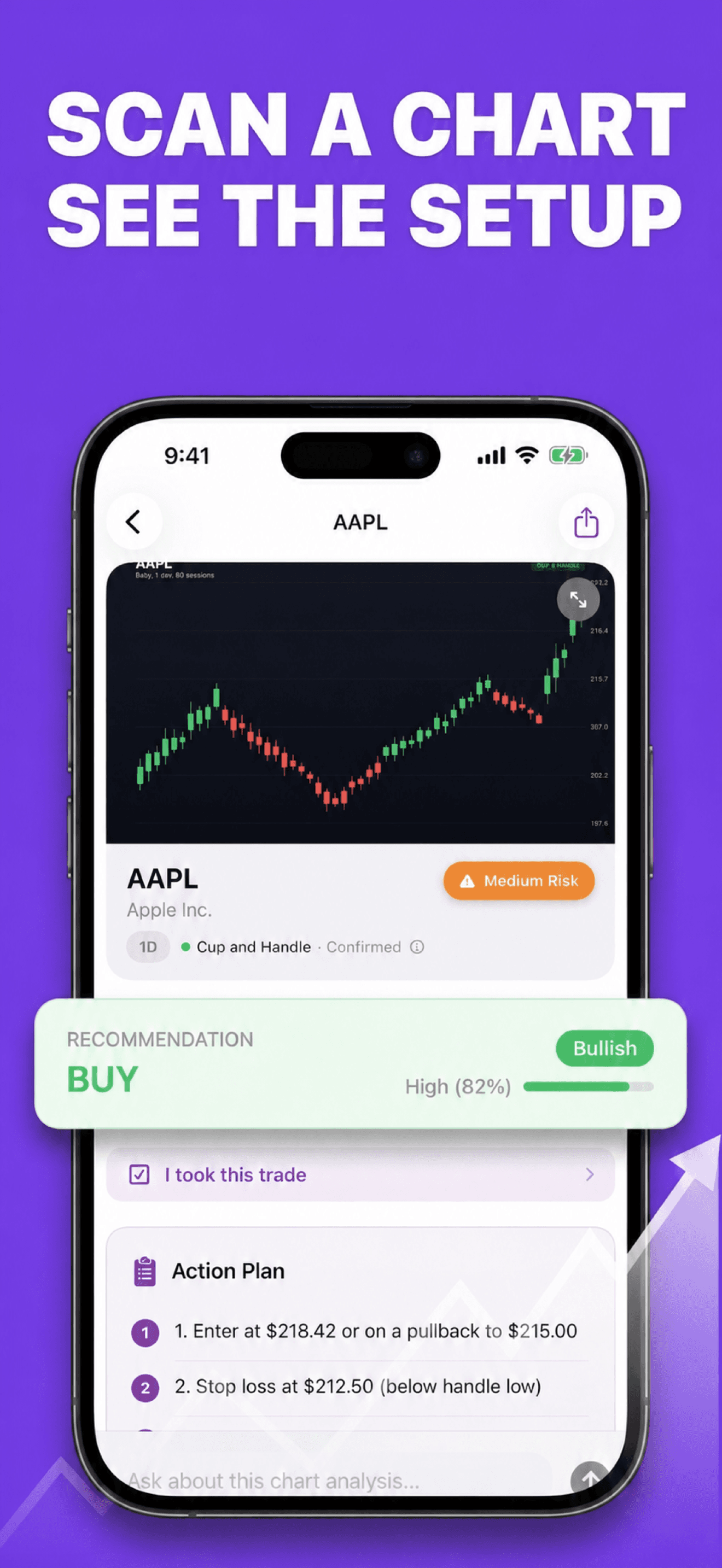
Turn a chart image or ticker into an organized research workspace with patterns, key levels, bull/base/bear scenarios, alerts, a paper-trade journal, and a built-in glossary.
Built for the task
Chart or ticker analysis
The short answer
A direct definition for readers, search engines, and answer systems.
Stockalyze is an iPhone app for educational market-chart research. It uses AI to organize visible patterns, indicator context, support, resistance, invalidation, risk levels, and multiple possible scenarios. It also includes a watchlist, optional price-level alerts, paper-trade tracking, follow-up questions, and a chart-pattern glossary.
Stockalyze is for education and research, not personalized financial, investment, tax, or legal advice. It does not execute trades. AI output and third-party market data can be incomplete, delayed, or wrong; past patterns and paper-trade results do not predict future performance.
Inside the app
Every feature supports the same workflow, so the app feels like a system rather than a folder of disconnected AI buttons.
Capture or import a chart, or start from a ticker, to organize the visible setup and current market context.
Review possible candlestick or chart patterns alongside support, resistance, invalidation, entry, stop, and target levels.
Compare bull, base, and bear scenarios rather than treating one AI-generated forecast as certainty.
Keep a watchlist and receive device notifications when fetched market prices cross levels you chose.
Mark hypothetical trades, close them later, and review your recorded win rate and R-multiple history.
Explore 20+ patterns and indicators, then ask qualified follow-up questions about a saved analysis.
Product tour
Real screens from the current iPhone experience.


How it works
Use a readable screenshot or enter a Yahoo Finance-compatible symbol for current quote and price-history context.
Compare the detected pattern, levels, indicator context, confidence, and invalidation conditions.
Set an optional alert, record a paper trade, study the glossary, and verify all information independently before risking capital.
Who it helps
Direct answers
No. Stockalyze does not place orders, hold funds, connect to brokerage accounts, or manage a portfolio. Its analyses, alerts, and paper trades are educational research tools.
They are AI-generated interpretations and can be incomplete, delayed, or wrong. A confidence label or probability is not a verified success rate. Check the original chart, current market data, and independent sources.
The workflow supports Yahoo Finance-compatible symbols for many stocks, ETFs, indices, cryptocurrencies, and foreign-exchange pairs. Coverage, symbol formats, delays, and availability vary.
A selected chart image and relevant profile context are sent through AIProxy to Anthropic for analysis. Saved analyses remain in the app and may sync through your private iCloud account when enabled. Read the Privacy Policy for provider details and retention limits.
Available on the App Store
Free download · optional Pro. Built by Ideas All Day Ltd for iphone · ios 17.6+.
Download on the App Store