Keep recurring costs organized
Add the services you want to track with their price, currency, billing cycle, category, renewal date, status, and notes.
A clearer view of recurring costs
Keep the subscriptions you choose to track in one organized place, compare recurring totals by currency, and review upcoming renewal dates without pretending to access or cancel provider accounts.
Built for the task
Keep recurring costs organized
The short answer
A direct definition for readers, search engines, and answer systems.
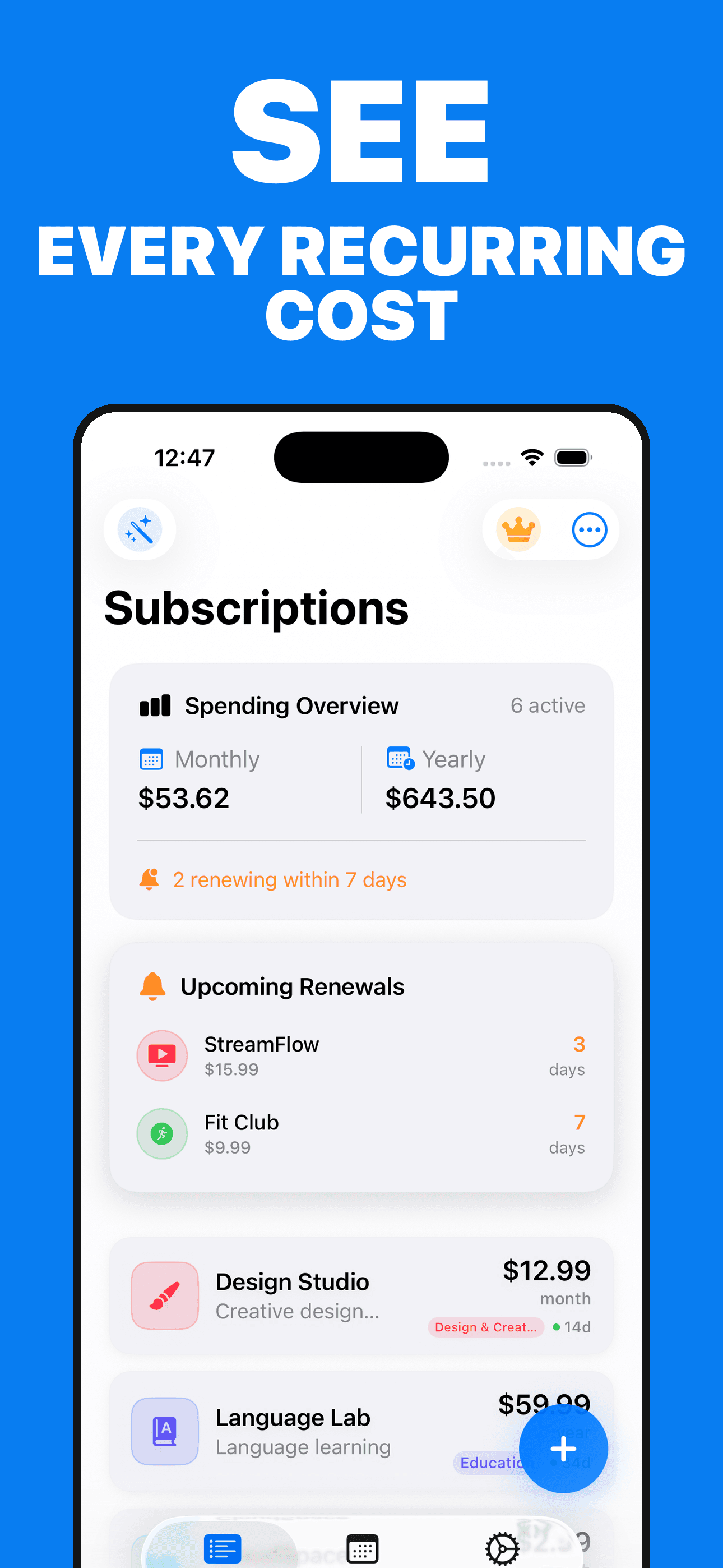
Subscriptions Manager is an iPhone organizer for recurring bills and subscriptions. It stores the service name, price, currency, billing cycle, category, renewal date, status, notes, and optional image you choose to add, then turns those records into totals, a calendar, reminders, widgets, and optional AI-assisted summaries.
Subscriptions Manager is an organizational tool. Totals, reminders, imports, and AI summaries depend on the information you provide and may be incomplete or wrong. Verify actual charges and cancellation status with the relevant provider.
Inside the app
Every feature supports the same workflow, so the app feels like a system rather than a folder of disconnected AI buttons.
Add the services you want to track with their price, currency, billing cycle, category, renewal date, status, and notes.
Review monthly and yearly equivalents while keeping different currencies separate instead of combining them into a misleading total.
Browse upcoming dates from your saved records and schedule local reminders before the renewal dates you entered.
Use Home Screen widgets for upcoming renewals and tracked totals without opening the full app.
Optionally request summaries of the subscriptions you entered, grouped by renewal, category, or currency, and verify the AI response before relying on it.
The app does not connect to banks, inspect provider accounts, detect charges automatically, or cancel a service on your behalf.
Product tour
Real screens from the current iPhone experience.


How it works
Enter the price, currency, billing cycle, category, renewal date, and status you want the app to remember.
Use the overview, calendar, and widgets to see the records and upcoming renewals you entered.
Check actual charges, offers, usage, and cancellation status with the service provider or the account that was billed.
Who it helps
Direct answers
No. It does not connect to a bank, card, email inbox, or provider account. The overview is built only from the subscription records and dates you choose to enter.
No. To stop a charge, cancel with the service provider or through the account that was billed, then update the record in the app for your own organization.
Monthly and yearly equivalents are grouped by currency. The app avoids combining unlike currencies into one total unless you independently convert and enter them that way.
It receives the relevant tracked records and question needed for the AI action you start. It does not know actual account usage, current provider offers, real charges, or whether a cancellation succeeded.
Records are stored on your device and can synchronize through your private iCloud account when iCloud is available for the app. Optional AI actions, analytics, paywalls, and purchases are described in the Privacy Policy.
Available on the App Store
Free download · optional premium features. Built by Ideas All Day Ltd for iphone · ios 17.6+.
Download on the App Store