Scan or import a document
Use the native document scanner, choose images from Photos, or import PDFs and images from Files, including multi-page documents.
A private document signing and annotation workspace
Scan paper or import a PDF or image, add an image-based signature and the annotations you need, organize every page, then export the finished document.
Built for the task
Scan or import a document
The short answer
A direct definition for readers, search engines, and answer systems.
Signature Maker: Sign & Fill is an iPhone document workspace for scanning or importing PDFs and images, creating reusable image-based signatures, filling documents with text, stamps, watermarks, drawings, sticky notes, and shapes, recognizing text on device, organizing pages and folders, and exporting PDFs or images. Documents are processed on device and the library may sync through the user’s private iCloud account.
Signature Maker places image-based signatures and annotations; it does not provide cryptographic signatures, identity verification, notarization, legal advice, or a guarantee that an electronic signature is valid for a particular document or jurisdiction.
Inside the app
Every feature supports the same workflow, so the app feels like a system rather than a folder of disconnected AI buttons.
Use the native document scanner, choose images from Photos, or import PDFs and images from Files, including multi-page documents.
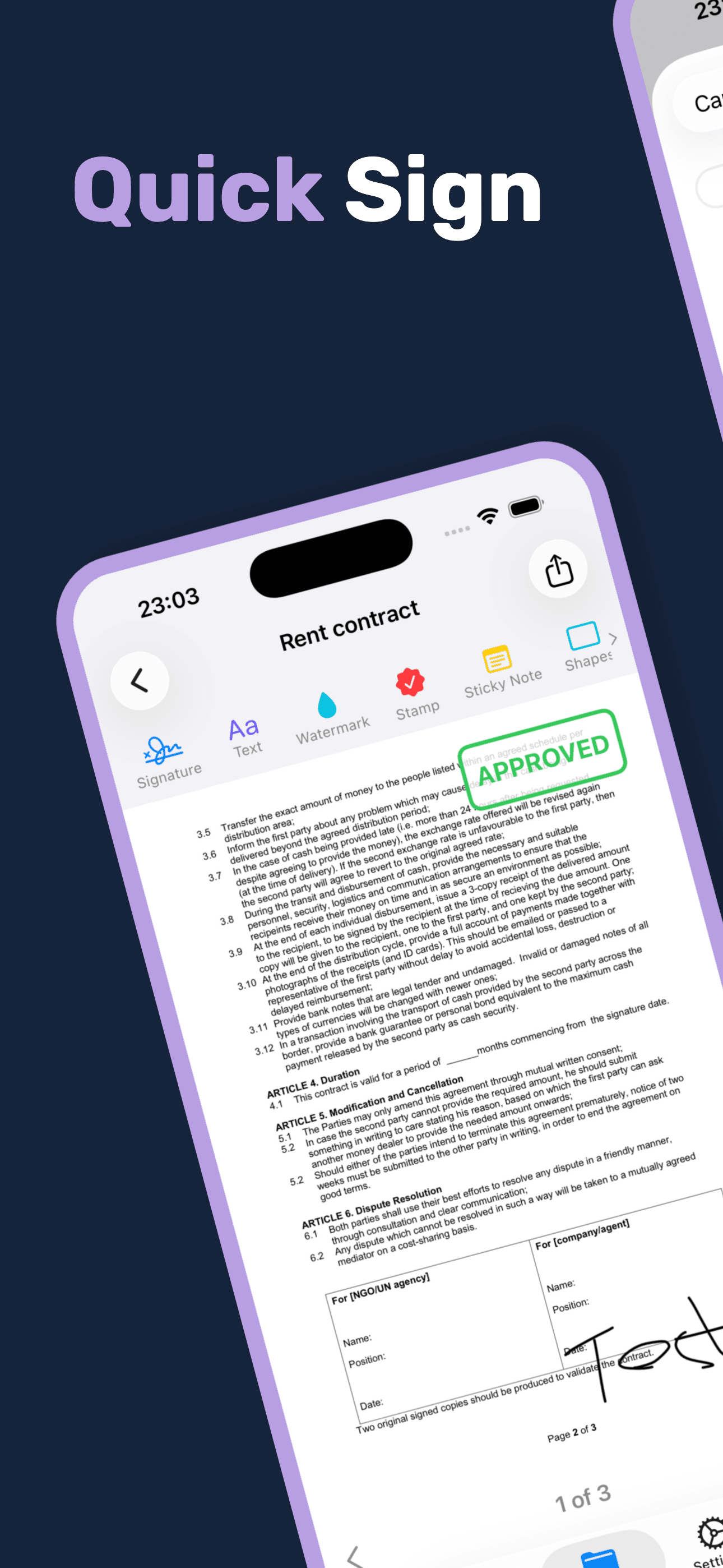
Draw an image-based signature with a finger or stylus, save it for reuse, then position and resize it on a page.
Add positioned text, drawings, sticky notes, rectangles, ellipses, arrows, and lines where the document needs context.
Apply preset or custom stamps and add text or image watermarks with adjustable placement, rotation, opacity, size, and colour.
Reorder, add, or remove pages, keep projects in folders, and use Apple Vision for on-device OCR and clipboard-ready text.
Generate a PDF, export selected pages as images, save to Photos, copy a page, or open the iOS share sheet.
Product tour
Real screens from the current iPhone experience.


How it works
Bring in paper through the camera or choose the PDF and image pages you have the right to edit.
Place your image-based signature, fill text, and add only the stamps, marks, notes, or watermarks the document needs.
Check every page, reorder or remove pages as needed, then export the selected pages as a PDF or images to a destination you control.
Who it helps
Direct answers
No. The app creates and places a visual, image-based representation of a signature. It does not issue a certificate, verify identity, authenticate a signer, provide notarization, or prove that a document was not altered.
You can scan paper or import PDFs and common image files. After editing, you can export selected pages as a PDF or images, save images to Photos, copy a page, or use the iOS share sheet.
No. Text recognition uses Apple Vision on the device. Document scanning, annotation, signing, OCR, and PDF generation are local; the saved library may sync through your private iCloud account.
No legal outcome is guaranteed. E-signature requirements vary by jurisdiction, document type, identity process, consent, and audit requirements. Verify the required signing method with the recipient or a qualified professional.
Available on the App Store
Free download. Built by Ideas All Day Ltd for iphone · ios 17.6+.
Download on the App Store