Multi-photo candidate
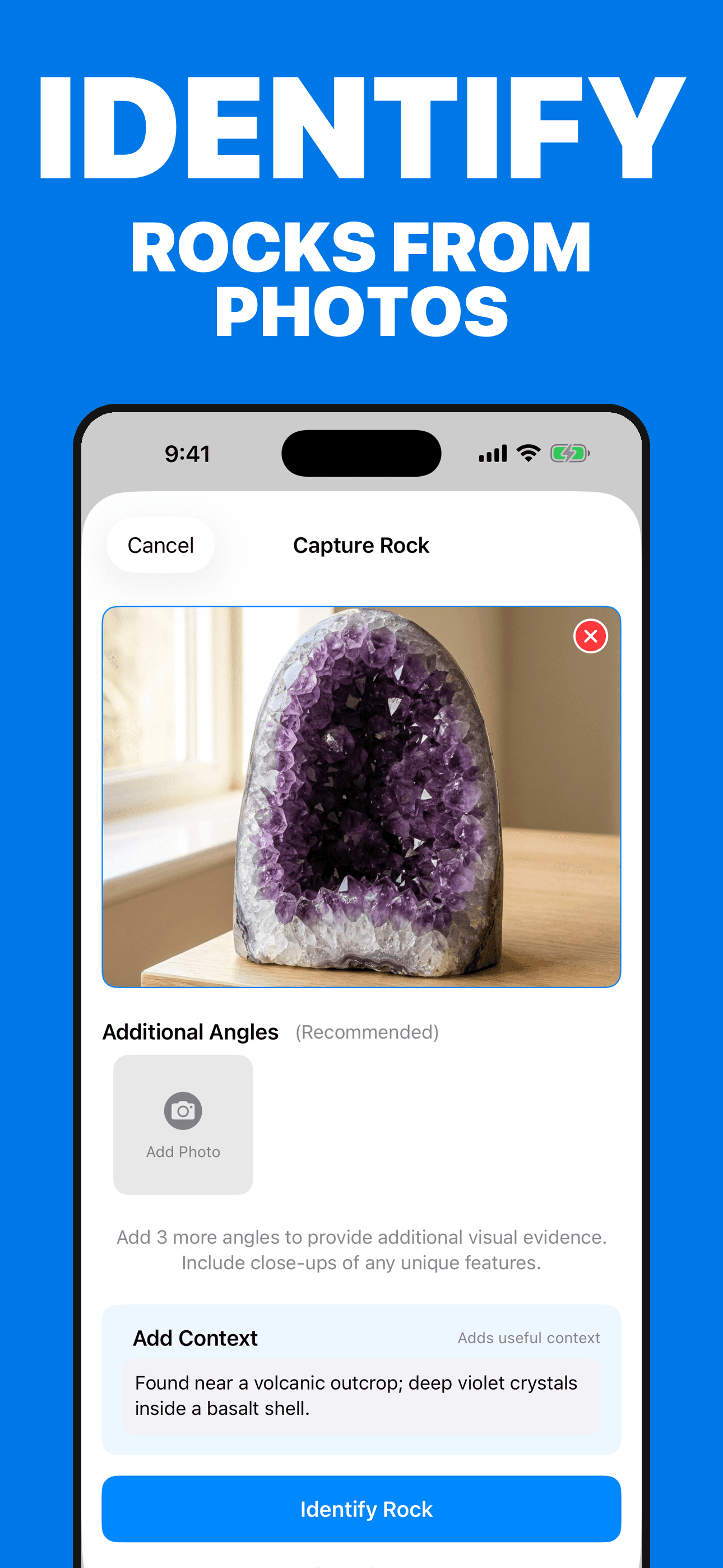
Add up to four specimen views and optional find context for a best-effort identification candidate and confidence indicator.
Photo-assisted specimen exploration
Add up to four photos and optional find context for an AI-assisted candidate, then explore geological details, ask follow-ups, and build a private collection.
Built for the task
Multi-photo candidate
The short answer
A direct definition for readers, search engines, and answer systems.
Rock Identifier is an iPhone app that analyzes up to four photos of a rock, mineral, crystal, gemstone, or fossil and suggests a possible identification. It organizes physical and geological context, follow-up questions, collection records, and qualified size, weight, and value estimates.
Size, weight, origin, treatment, and market value are estimates from photos and context—not measurements, authentication, provenance verification, or appraisals.
Inside the app
Every feature supports the same workflow, so the app feels like a system rather than a folder of disconnected AI buttons.
Add up to four specimen views and optional find context for a best-effort identification candidate and confidence indicator.
Explore composition, hardness, crystal system, formation, visual properties, uses, and related specimens.
Ask follow-up questions using the saved specimen details while treating AI answers as fallible.
Save photos, candidates, details, conversations, optional location, and collection summaries.
Review photo-based size, weight, value range, and collection context with clear appraisal limitations.
The app does not verify origin, treatment, authenticity, provenance, or professional grade from a photo.
Product tour
Real screens from the current iPhone experience.


How it works
Show overall form, fracture, luster, grain, inclusions, crystal faces, and a neutral scale reference.
Review physical and geological clues, uncertainty, and alternatives instead of accepting one answer as fact.
Keep the specimen in your collection or consult a qualified geologist, gemologist, or laboratory.
Who it helps
Practical guide
Compare texture, grain size, visible minerals, structure, and geologic context to form a possible match—then keep chemistry, authenticity, safety, and appraisal decisions with qualified experts.
Direct answers
It can suggest a possible rock, mineral, crystal, gem, or fossil from up to four photographs and optional context. The result is not expert confirmation.
No. Photos cannot reliably prove authenticity, treatment, geographic origin, provenance, or professional grade. Use a qualified gemologist or independent lab.
No. They are rough photo-based estimates influenced by perspective, scale, condition, quality, provenance, and current demand. They are not measurements or appraisals.
The collection can keep photos, suggested details, chat history, optional location, estimates, and summaries in the app and private iCloud when available.
Available on the App Store
Free download · optional Pro. Built by Ideas All Day Ltd for iphone · ios 17+.
Download on the App Store