Count without losing the game
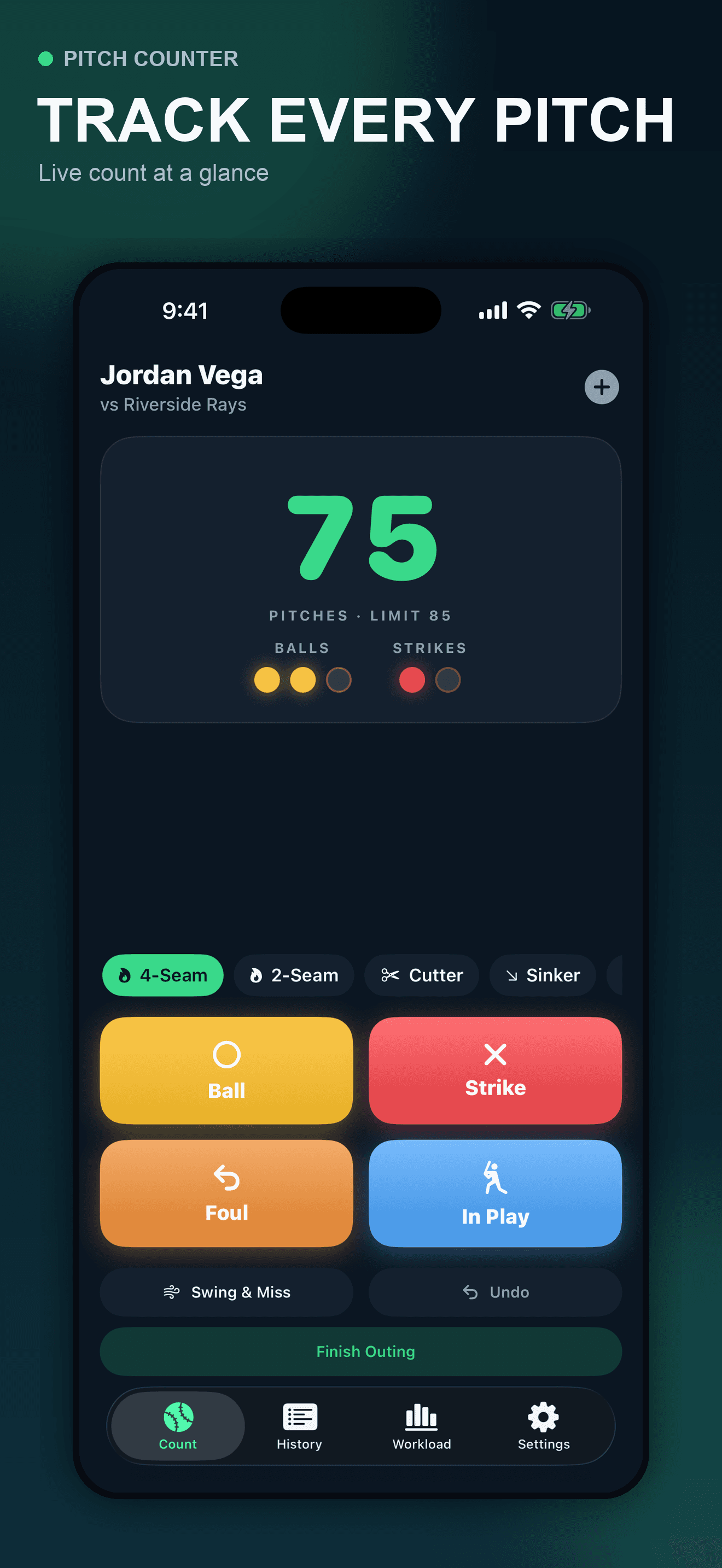
Large controls keep balls, strikes, fouls, balls in play, and undo within reach during a live outing.
A focused baseball pitch-count workflow
Use large game-ready controls to count live pitches, then record warm-up and bullpen estimates separately and keep a clear rolling workload journal.
Built for the task
Count without losing the game
The short answer
A direct definition for readers, search engines, and answer systems.
Pitch Counter is a private iPhone baseball utility for recording live-game pitch count, pitch types, results, and completed outings. Its workload journal keeps warm-up and bullpen estimates separate from game pitches, shows rolling 7- and 30-day totals, and stores rule sources and coach notes locally without an account.
Pitch Counter records what you enter. It does not decide player eligibility, required rest, fatigue, injury risk, or medical care. Verify current league rules and qualified guidance.
Inside the app
Every feature supports the same workflow, so the app feels like a system rather than a folder of disconnected AI buttons.
Large controls keep balls, strikes, fouls, balls in play, and undo within reach during a live outing.
Tag fastballs, breaking balls, and off-speed pitches so the final summary shows more than a single total.
Finish an outing with separate warm-up and bullpen estimates, the rule source you checked, and factual coach notes.
See total pitches, strike rate, pitches per at-bat, first-pitch strikes, strikeouts, walks, and result distribution.
Switch pitchers, review 7- and 30-day game-pitch totals, compare recorded throws, and share the journal you entered.
The initial free release keeps outing records in the app’s private container and does not use third-party analytics.
The app records what you enter; it does not replace league pitch-count rules, recovery guidance, or qualified medical care.
Product tour
Real screens from the current iPhone experience.


How it works
Add the pitcher and game details you want to remember, then begin the live count.
Record the outcome and optional pitch type as play unfolds; use undo immediately when a tap was wrong.
End the outing, keep warm-up and bullpen estimates separate, note the rule source, and save factual coaching context.
Open a pitcher’s rolling workload totals, revisit outing analytics, or share the entered record with another responsible adult.
Who it helps
Practical guide
Set the current official rule source, assign one recorder, count every eligible live-game pitch, reconcile totals, and preserve the completed outing without turning an app warning into an eligibility or medical decision.
Direct answers
You can record balls, strikes, fouls, balls in play, swinging strikes, and an optional pitch type. The saved summary derives its totals from the events you enter.
No. Rules vary by age, league, tournament, and jurisdiction. Use the app as a record, then follow the current rules and qualified arm-care guidance that apply to the player.
It totals the live-game pitches and separate warm-up or bullpen estimates you entered. It can show rolling 7- and 30-day records and share a pitcher report, but it cannot know unrecorded throwing or decide eligibility, rest, fatigue, injury, or medical care.
The initial free release stores completed outings locally in the app’s private container on the iPhone. No account is required.
No third-party analytics are active in the submitted initial release. The app’s live analytics dependency is intentionally a no-op.
Preparing for the App Store
The release package is being prepared and the public App Store page will appear after launch.
Coming soon