01
Name the rule source
Record the league, division, season or tournament, and the pitcher’s applicable league age. Use the current official rulebook for what counts, daily limits, batter exceptions, position restrictions, and required rest.
Practical guide
A reliable pitch count starts before the first batter: identify the current rule source, assign one recorder, decide which live-game deliveries that rule counts, and agree how the total will be reconciled. A counter can preserve the record, but the current league rulebook and responsible game officials—not an app preset—determine pitcher eligibility, removal, and rest.
Coming to iPhone · Live count, pitch mix, undo, history, and outing insights
What to look for
The useful record is the one another scorer can understand and reconcile. Establish the rule context and recording responsibility before the game becomes busy.
Record the league, division, season or tournament, and the pitcher’s applicable league age. Use the current official rulebook for what counts, daily limits, batter exceptions, position restrictions, and required rest.
Choose the official scorer or pitch-count recorder and keep the total visible to the manager or umpire when requested. A second observer can cross-check without creating two competing official totals.
Tap once for each delivery the applicable rule counts. Use the result and optional pitch type to preserve context, but do not infer eligibility from the ball-strike display alone.
If a tap is missed or duplicated, pause at the next natural break, confirm the play with the scorer, and use undo before the discrepancy compounds across later batters.
Step by step
Before the outing, open the official rules for the exact league, age, division, competition, and season. Do not copy a limit from an old chart, another organization, or a generic app preset.
Enter enough outing context to distinguish the player and opponent, then agree who owns the official count and how often totals will be announced or compared.
Tap the result as each counted live-game pitch is completed. Tag the pitch type only when the observer can do so accurately; the total is more important than guessing a classification.
Compare the total after an inning, pitching change, disputed play, or another agreed checkpoint. Resolve differences against the official scorer and current rules rather than silently choosing the larger or smaller number.
Save the final total, date, opponent, and available context. Communicate workload across school, league, travel, showcase, and other teams instead of treating each team’s record as the whole picture.
The manager and officials remain responsible for rule compliance, and pain, unusual fatigue, or injury concerns need an immediate stop and qualified evaluation. A warning number is not clearance to continue pitching.
Inside the app
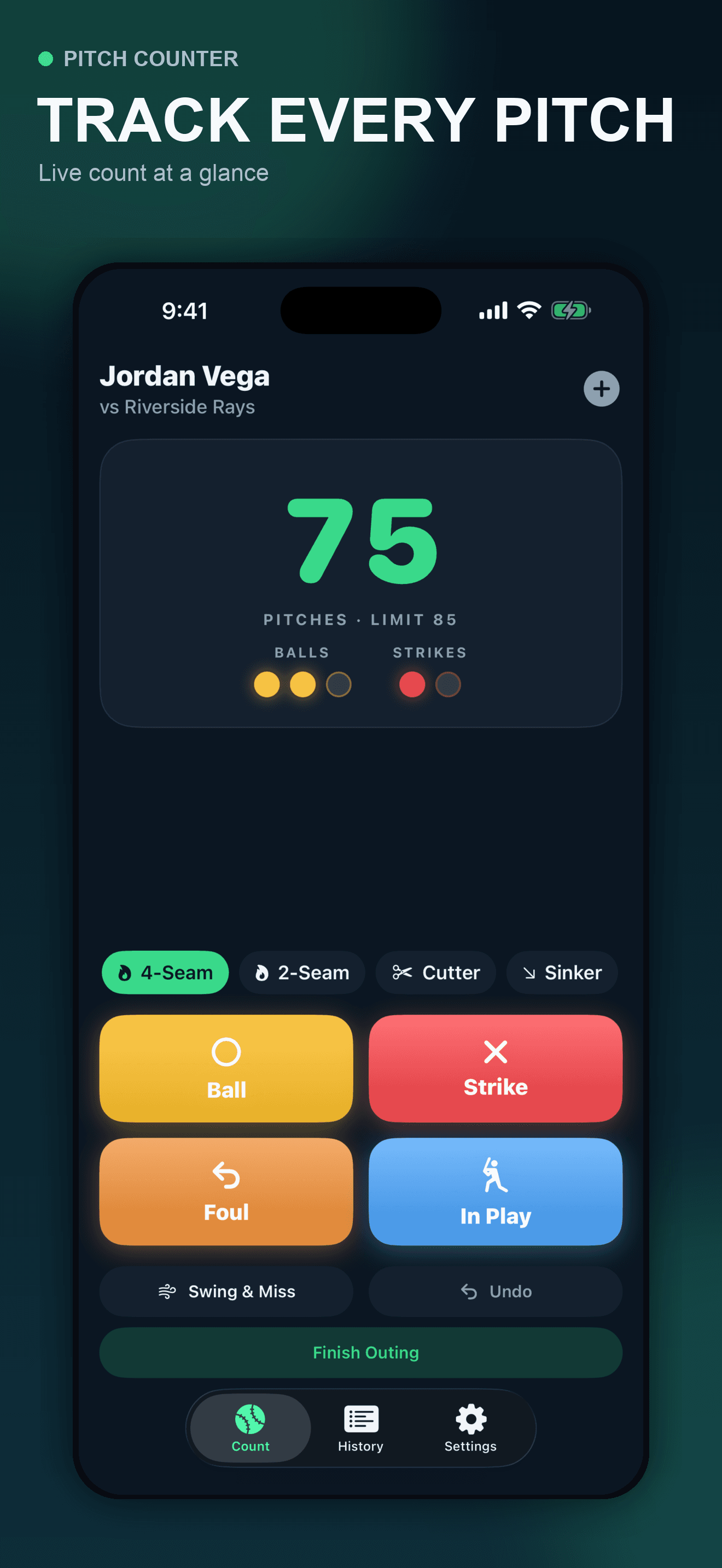
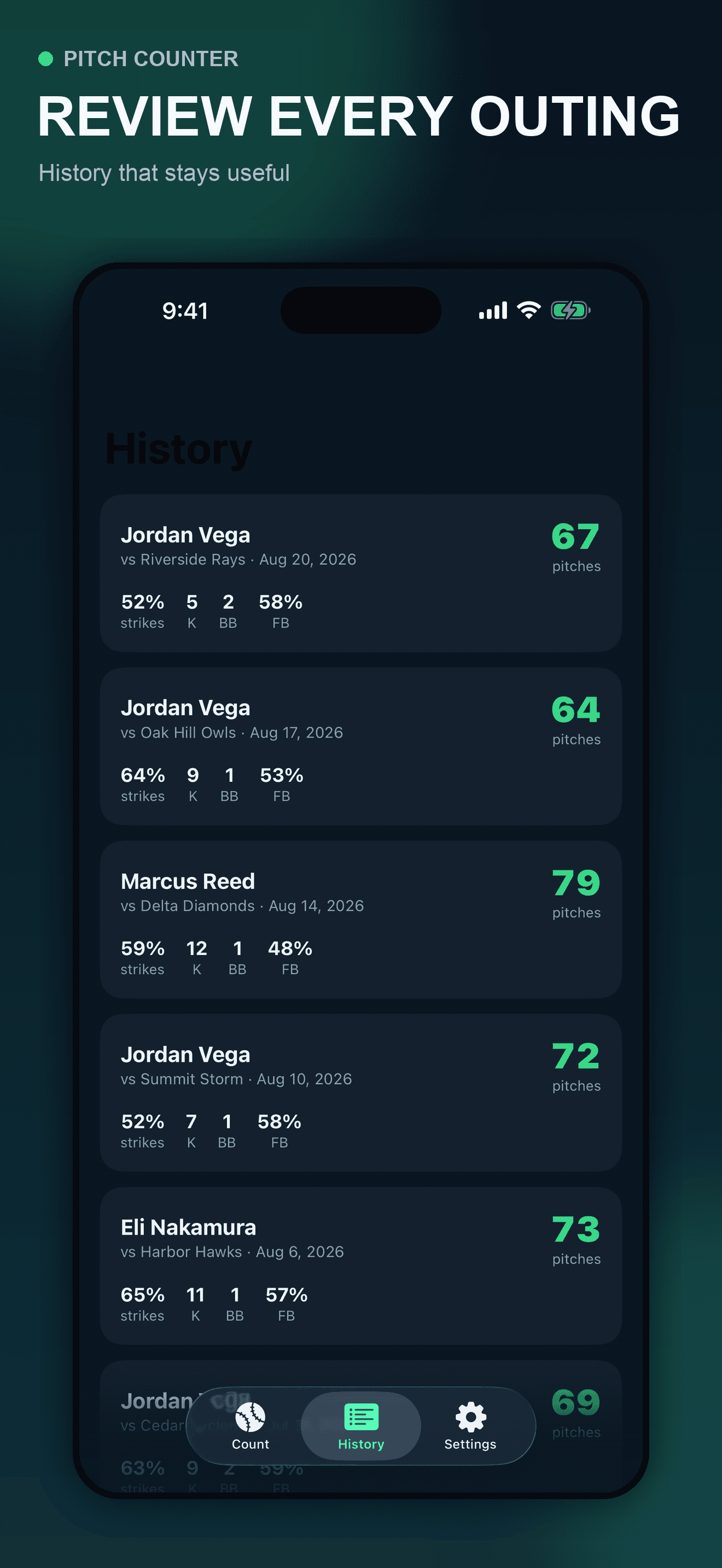
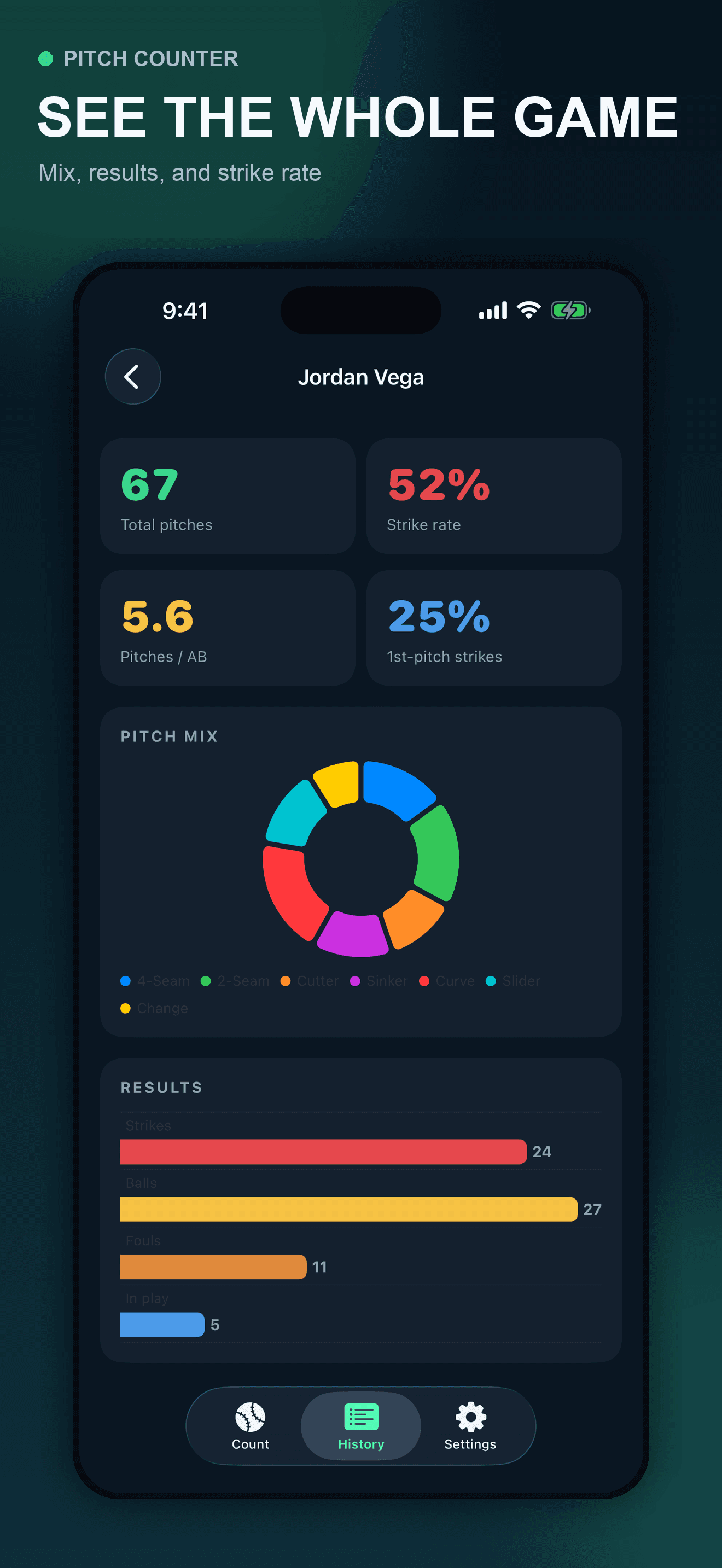
These are actual Pitch Counter screens using fictional showcase data. The app counts the events entered by the user and can display a user-selected warning limit. It does not know every league rule, verify league age, combine unrecorded work from other teams, diagnose fatigue or injury, or determine whether a player may continue or return.
Try the app
Pitch Counter puts large result controls, optional pitch-type tags, immediate undo, completed history, and outing summaries on the iPhone. Use it as one recording surface inside the official scoring and player-safety process that applies to your game.
Primary references
These official references support the recording workflow and its limits. They do not endorse Pitch Counter. Rules, league age, tournament exceptions, state policies, medical guidance, and responsible officials vary, so verify the exact current source before every season or competition.
Direct answers
Use the current official rules for the competition. MLB’s statistical definition includes pitches thrown in live game action, while youth organizations can add specific eligibility, threshold, batter, suspended-game, and position rules. Warm-up throws and events declared no-pitch may be treated differently. The app records the event you tap; it does not interpret the rulebook.
That depends on the organization. Little League’s current regular-season rules designate an official scorekeeper or pitch-count recorder, while the manager remains responsible for knowing when the pitcher must be removed. A personal app can support that record but does not replace the designated official or manager.
Only after checking the current official rules for the exact league age, division, season, and competition. Daily maxima, rest thresholds, exceptions, and catcher or return-to-pitcher restrictions can differ or change. A value entered in Pitch Counter is a user-selected warning, not an official eligibility decision.
Choose predictable checkpoints such as the end of an inning, a pitching change, or after a disputed or unusual play. If counts differ, pause and reconcile with the designated official record before continuing; do not allow a known discrepancy to accumulate.
Keep one cross-team workload record and communicate recent pitching to every responsible adult. MLB and USA Baseball’s Pitch Smart guidance specifically notes that players may participate across organizations, so each isolated team record can be incomplete.
No. A count is one workload record, not a diagnosis, fatigue measurement, injury-prevention guarantee, or permission to continue. Follow the current organization rules and qualified medical or athletic guidance, and stop for pain, unusual fatigue, or an injury concern.
The submitted initial free release stores completed outings locally in the app’s private container on the iPhone and does not require an account. Keep any additional official record your organization requires.