Prepare the right parking SMS
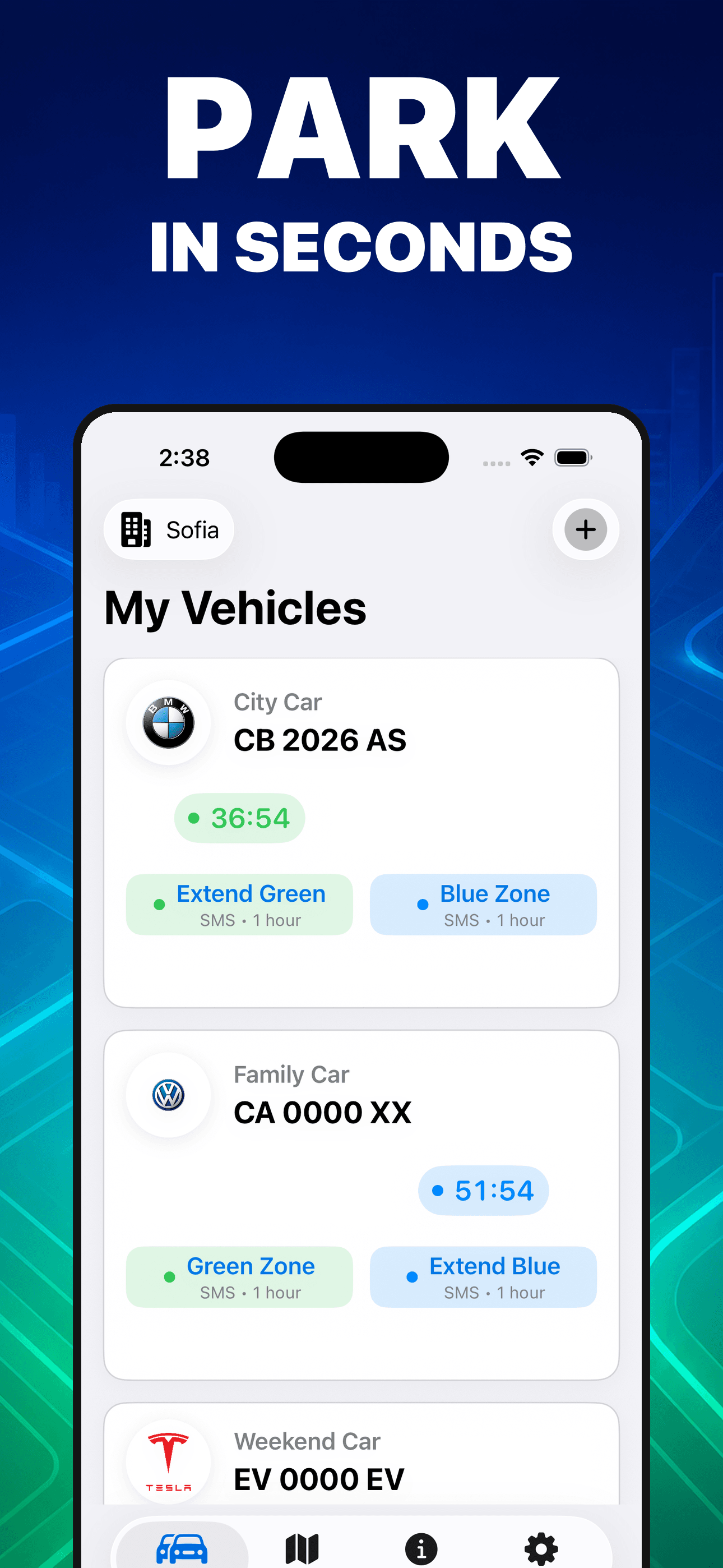
Choose a saved vehicle and supported zone, then review the populated short code and registration plate in Apple’s Messages sheet before deciding whether to send.
Paid-zone parking companion for Bulgaria
Save each vehicle, prepare the official parking SMS for a supported city, review it in Messages, and follow the session with reminders, widgets, and Live Activities.
Built for the task
Prepare the right parking SMS
The short answer
A direct definition for readers, search engines, and answer systems.
ParkingZone is an iPhone parking companion for paid zones in Sofia, Burgas, Varna, Plovdiv, and Blagoevgrad. It keeps vehicle details locally, prepares the city and zone SMS for you to review and send, shows bundled zone maps and official links, and follows active sessions with timers, reminders, widgets, Live Activities, and an Apple Watch companion.
ParkingZone is an independent convenience app, not a municipality, parking operator, carrier, or payment provider. Codes, zones, prices, hours, rules, and availability can change; verify current signs, official sources, and the operator’s confirmation message.
Inside the app
Every feature supports the same workflow, so the app feels like a system rather than a folder of disconnected AI buttons.
Choose a saved vehicle and supported zone, then review the populated short code and registration plate in Apple’s Messages sheet before deciding whether to send.
Save multiple vehicle names, brands, registration plates, preferred cities, and active timers in the app’s private local storage.
Review available blue or green zones for Sofia, Burgas, Varna, Plovdiv, and Blagoevgrad, with links to current official municipal information.
Track active sessions and request a local notification before expiry using the reminder timing you choose.
Use optional location only when you choose Detect My Location to select the nearest supported city and position the map.
Use widgets, Dynamic Island and Live Activities, plus the Apple Watch companion where supported, to keep a session close at hand.
Product tour
Real screens from the current iPhone experience.


How it works
Add a recognizable vehicle name and confirm the registration plate carefully before using it in an SMS.
Select the current city and paid zone, then check the bundled reference information or current official municipal source.
ParkingZone opens the Messages sheet; you decide whether to send. Confirm the operator reply, then use the timer and reminders as secondary aids.
Who it helps
Direct answers
No. The app prepares a parking SMS and opens Apple’s Messages sheet. You must review the short code and registration plate and choose whether to send. Parking starts only when the relevant operator accepts the message; carrier and parking charges may apply.
The current app includes Sofia, Burgas, Varna, Plovdiv, and Blagoevgrad. Available blue and green zones vary by city.
No. Municipal rules, codes, prices, hours, boundaries, holidays, and maximum stays can change. ParkingZone links to official local sources, which should be checked before relying on bundled information.
Vehicle names, brands, plates, preferred cities, and timer history stay in the app’s private local storage. Registration plates are not uploaded to ParkingZone’s servers.
Notifications, background delivery, network access, Focus modes, battery state, and Apple or Firebase services can delay or prevent an update. Always check the operator confirmation and posted parking signs.
Available on the App Store
Free download. Built by Ideas All Day Ltd for iphone · ios 17+ · widgets and apple watch companion.
Download on the App Store