Scan problems and diagrams
Photograph a printed or handwritten prompt and keep every label, angle, unit, construction mark, and instruction visible.
Geometry solver, calculators, and study toolkit
Turn a photographed problem and diagram into structured reasoning, check the givens and formulas, then practise the same geometry concept again.
Built for the task
Scan problems and diagrams
The short answer
A direct definition for readers, search engines, and answer systems.
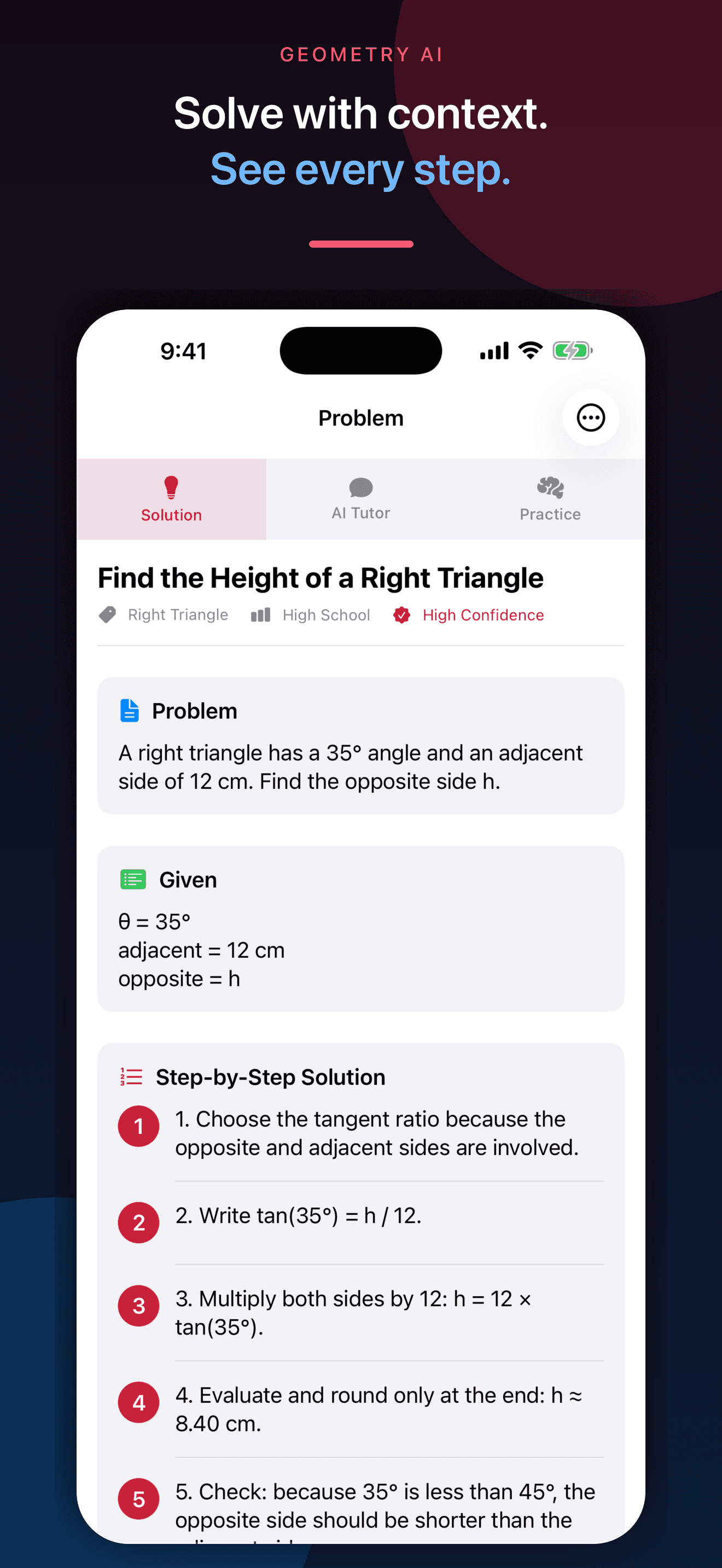
Geometry AI is an iPhone study app that analyzes photographed geometry problems and diagrams and organizes the detected givens, assumptions, formulas, numbered reasoning, and final result. It also includes five geometry calculator groups, quizzes, flashcards, and follow-up tutoring.
Geometry AI is a study aid. Verify diagram labels, givens, assumptions, formulas, proof steps, units, calculations, and conclusions with course materials or a qualified teacher.
Inside the app
Every feature supports the same workflow, so the app feels like a system rather than a folder of disconnected AI buttons.
Photograph a printed or handwritten prompt and keep every label, angle, unit, construction mark, and instruction visible.
Inspect the detected givens, formulas, assumptions, numbered solution steps, final result, and related concepts.
Work with triangles, circles, 3D solids, coordinate geometry, and right-triangle trigonometry.
Generate quizzes with adjustable topics, difficulty, question count, and question types, then review score history.
Use 12 built-in decks or create your own cards, with spaced repetition for formulas and concepts.
The app makes uncertainty visible and reminds you to verify labels, assumptions, units, constructions, and arithmetic.
Product tour
Real screens from the current iPhone experience.


How it works
Include the full diagram and every visible label, dimension, angle, unit, and instruction. Add more images when needed.
Check the detected givens, implied assumptions, formula choice, and intermediate calculations against the original.
Use a calculator, follow-up tutor question, quiz, or flashcard deck to understand the method rather than copy one answer.
Who it helps
Practical guide
Build a study loop around diagrams, givens, definitions, theorems, justification, checking, and active recall.
Direct answers
It can analyze visible labels, dimensions, angles, shapes, and instructions and suggest a structured solution. Cropped, faint, distorted, or incomplete diagrams can produce a wrong setup.
The current toolkit includes calculator groups for triangles, circles, 3D solids, coordinate geometry, and right-triangle trigonometry.
No. AI can misread a diagram, assume something that is not given, choose an unsuitable theorem, or make an arithmetic error. Verify every important step with the original problem and course material.
You can ask follow-up questions, generate practice quizzes, review quiz history, study built-in or custom flashcards, and use the calculator toolkit.
Available on the App Store
Free download · optional subscription. Built by Ideas All Day Ltd for iphone · ios 18.6+.
Download on the App Store