Likely make and model
Photograph a vehicle and review a best-effort make, model, generation, and confidence estimate.
Photo-assisted vehicle identification
Photograph a vehicle for a likely make, model, and generation, then explore available reference specifications, compare finds, and build a private spotting collection.
Built for the task
Likely make and model
The short answer
A direct definition for readers, search engines, and answer systems.
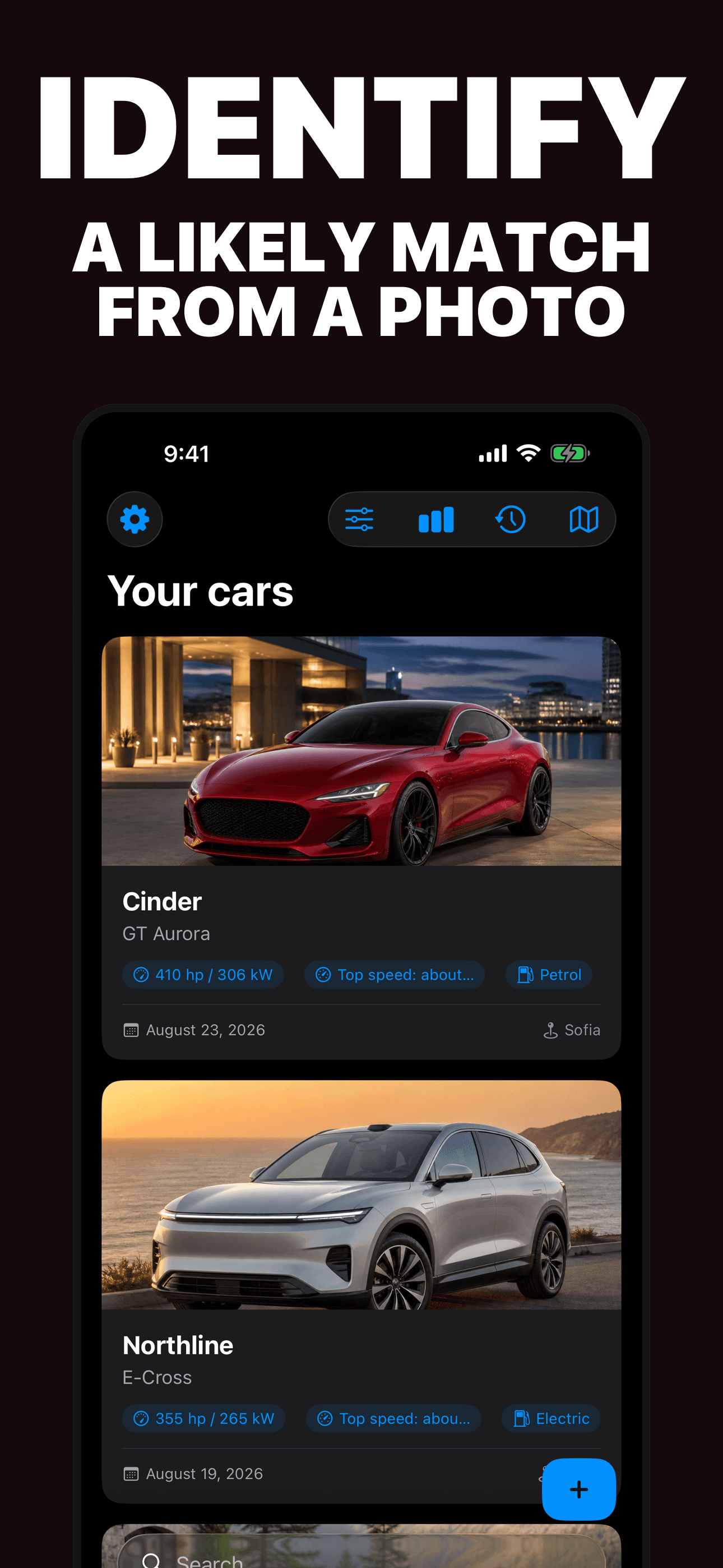
Car Identifier is an iPhone app that analyzes a vehicle photo and suggests a likely make, model, and generation. It organizes available reference specifications, saved photos, comparisons, dashboard summaries, a spotting timeline, and an optional private location.
The app is not a vehicle-history, valuation, purchasing, maintenance, or safety service. Confirm important identification and specification details independently.
Inside the app
Every feature supports the same workflow, so the app feels like a system rather than a folder of disconnected AI buttons.
Photograph a vehicle and review a best-effort make, model, generation, and confidence estimate.
Explore available body style, drivetrain, power, torque, fuel, weight, acceleration, and top-speed context.
Compare two saved vehicles and see their available reference details together.
Search, sort, filter, and revisit saved finds through cards, grids, lists, dashboards, and a timeline.
Remember where a successful match was spotted only when you grant location permission.
Similar trims, model years, modifications, and partial views can change or invalidate the visual suggestion.
Product tour
Real screens from the current iPhone experience.


How it works
Include the grille, lights, badge, wheel shape, body profile, and rear design when possible.
Compare the make, model, generation, confidence, and visible details rather than accepting the first answer as fact.
Keep the find in your private spotting log and confirm important specifications with the manufacturer.
Who it helps
Practical guide
Compare body shape, lights, grille, badges, glass, wheels, and rear design to narrow a likely make, model, and generation from a photo.
Direct answers
It can suggest a likely make, model, and generation from visible exterior details. Results are best-effort and can be wrong for similar, modified, partial, or low-quality photos.
Show the grille, lights, badges, wheels, body profile, windows, and rear shape in clear, even light. Avoid heavy filters and distant photos.
No. Specifications vary by trim, model year, region, options, and modifications. Confirm important information with the manufacturer or another authoritative source.
No background location is requested. If you grant while-in-use permission, a successful match can save the current location with your private spotting record.
Available on the App Store
Free download · optional Pro. Built by Ideas All Day Ltd for iphone · ios 17+.
Download on the App Store