01
Check the wall context
Review construction plans when available and note visible entry points, switches, outlets, plumbing fixtures, seams, and prior work. Do not assume a standard spacing pattern proves what is behind this wall.
Practical guide
Treat every result as a clue, not permission to drill. Start with visible construction information, remove magnetic interference, and sweep slowly from both directions. An iPhone magnetometer may reveal a repeatable magnetic change near a ferrous screw or nail associated with a stud, but it cannot see the wood, define its edges, or rule out wiring, plumbing, gas lines, and other hazards.
Coming to iPhone · Live field meter, calibration, sensitivity, scan notes, and on-device history
What to look for
The safest workflow combines repeatable observations with the construction record and the right dedicated tool. No phone reading proves that a place is safe to penetrate.
Review construction plans when available and note visible entry points, switches, outlets, plumbing fixtures, seams, and prior work. Do not assume a standard spacing pattern proves what is behind this wall.
The iPhone magnetometer measures the magnetic field around the device. A narrow repeatable change can be consistent with a nearby steel screw or nail, but the phone is not directly sensing wood.
Hold the phone consistently, move slowly across the same path from both directions, and compare several passes. A result that moves or disappears after recalibration is weak evidence.
A quiet magnetic reading does not clear the area. The app cannot reliably find or exclude live or de-energized wiring, plastic or copper plumbing, gas lines, cavities, or other hidden objects.
Step by step
Identify the wall type, the load and hardware requirements, and any known services before scanning. If plans or previous work are available, use them as independent evidence instead of starting from a presumed stud spacing.
Remove magnetic cases or mounts and move away from speakers, chargers, tools, and loose metal. Apple notes that magnetic and environmental interference can affect magnetic sensor accuracy.
Hold the phone in one consistent orientation and establish the local baseline away from an obvious metal object. Recalibrate when the environment, wall area, case, or phone orientation changes.
Move across the wall at a steady pace, then reverse over the same line. Compare the shape and location of the magnetic change rather than trusting one peak or an app label.
Look for repeatable clues above and below the first point and compare them with visible construction evidence. Do not convert a possible fastener into an exact stud center, edge, depth, material, or load-bearing claim.
Use the appropriate dedicated detector and other information sources. Follow the tool and mounting-hardware instructions, de-energize relevant circuits as required, and stop for uncertainty about wiring, pipes, gas, structure, or load capacity.
Inside the app
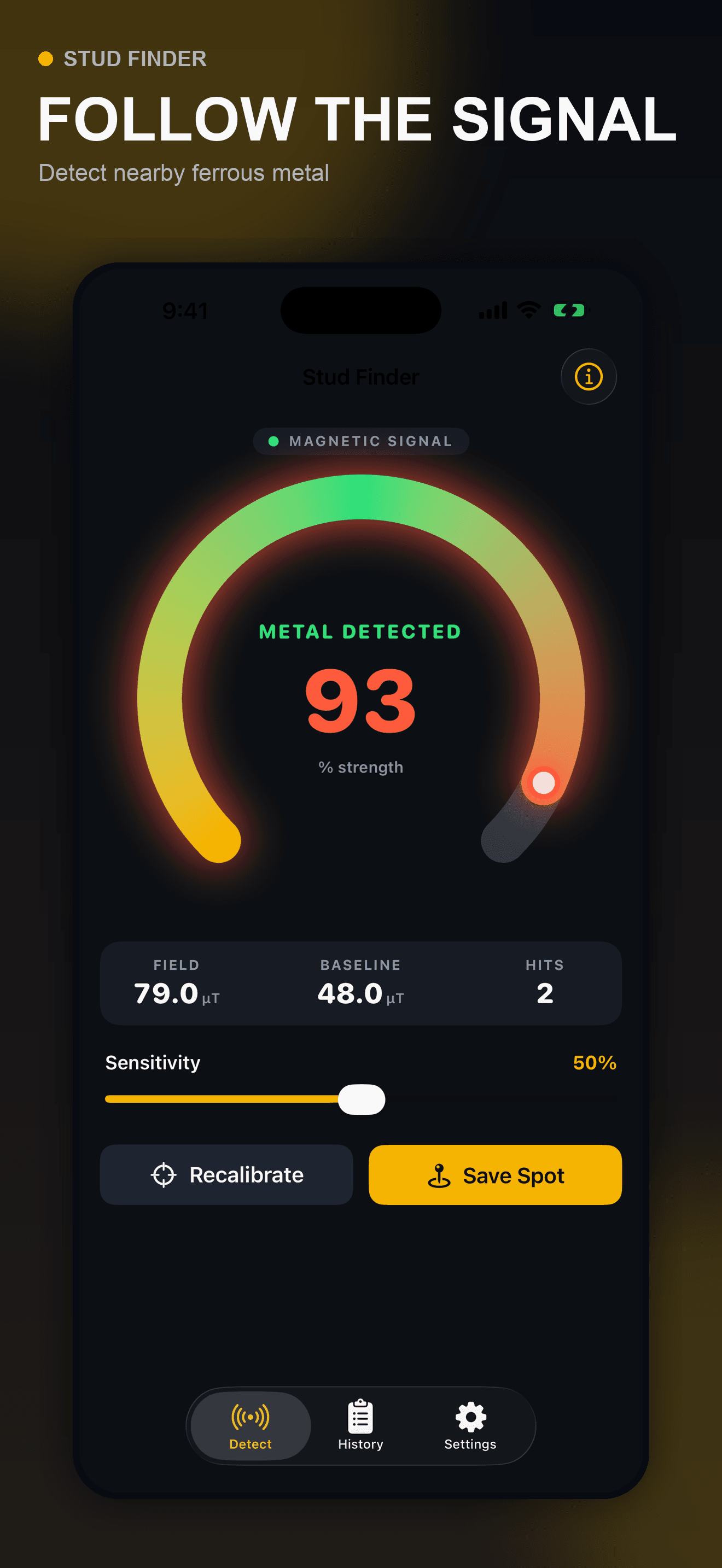
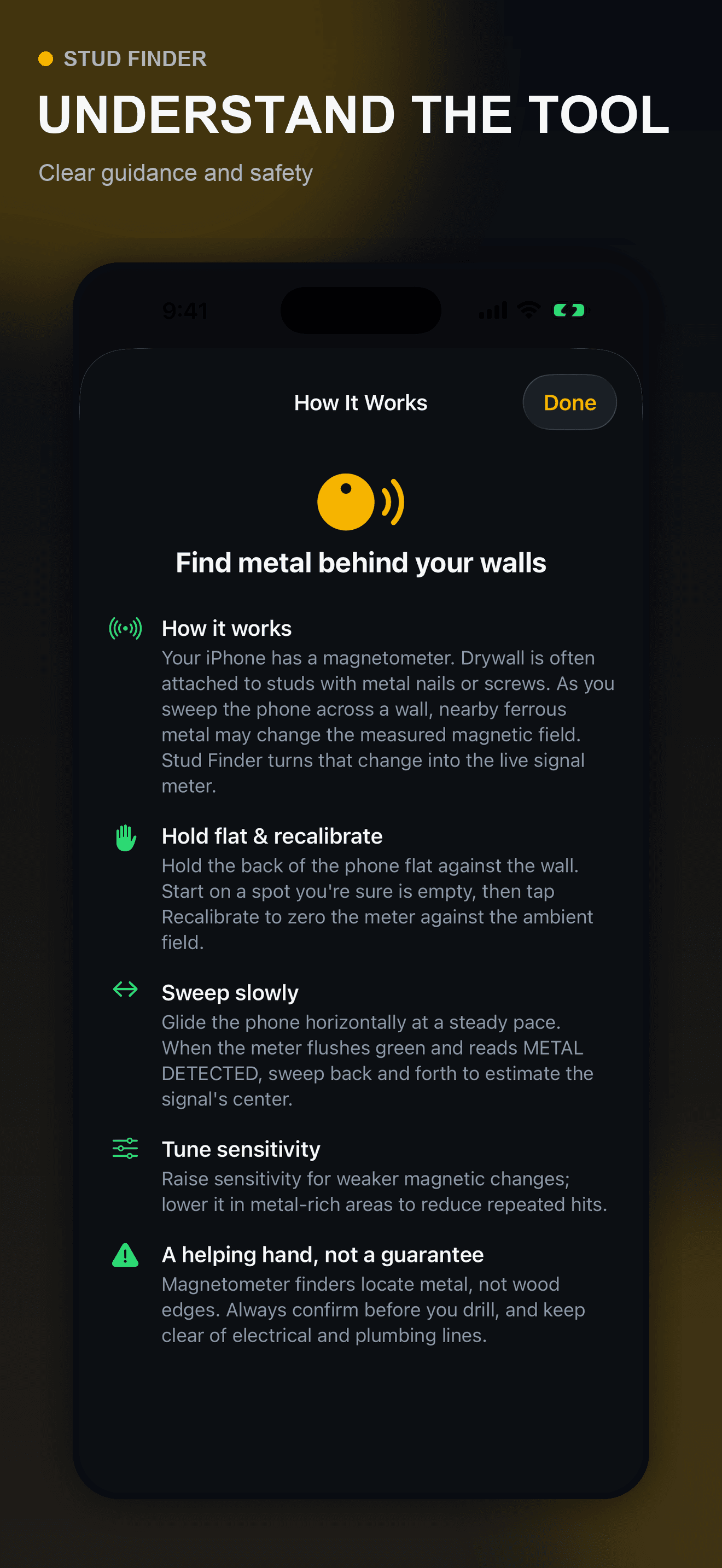
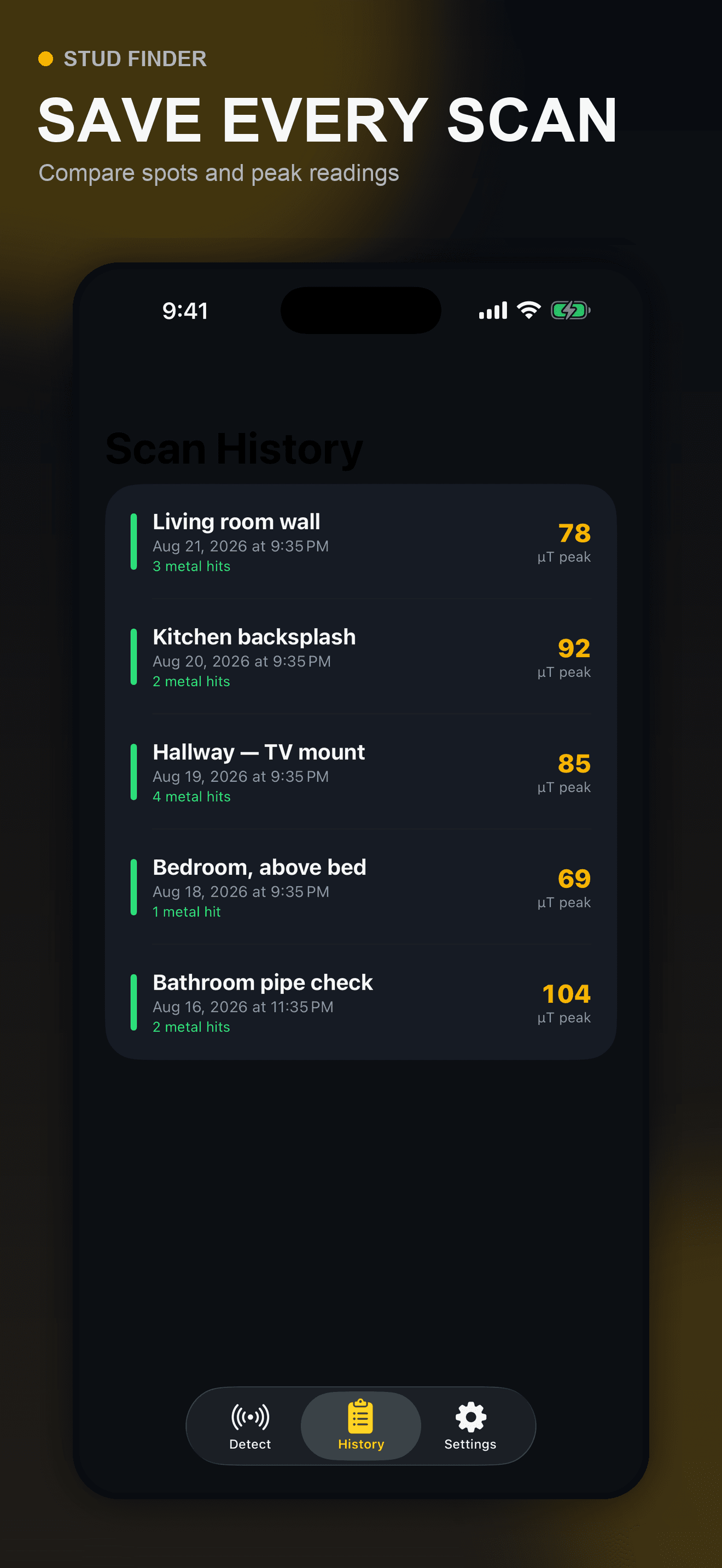
These are actual Stud Finder screens using fictional showcase data. The app reads nearby magnetic-field changes, logs the peak and hit count, and stores optional location notes locally. It does not detect wood, map a wall, identify live electricity, verify a pipe or gas line, determine structural capacity, or certify a drilling point.
Try the app
Stud Finder offers a live field meter, adjustable sensitivity, recalibration, practical limitations, and local scan history. Use it to compare possible ferrous-fastener clues, then verify the actual wall and work area with appropriate information, tools, hardware instructions, and qualified help when needed.
Primary references
These primary Apple and detector-manufacturer references support the sensor explanation and safety limits. They do not endorse Stud Finder. Always follow the current instructions for the exact detector, wall, mounting hardware, electrical system, and work you are performing.
Direct answers
An iPhone magnetometer can measure changes in the magnetic field around the phone. A repeatable change may come from a nearby ferrous screw or nail associated with a stud, but the sensor is not seeing the wooden stud itself and cannot prove its center, edges, depth, condition, or capacity.
Remove magnetic accessories, calibrate on a quiet reference point, hold the phone in a consistent orientation, and sweep slowly across the same path from both directions. Repeat above and below the point and compare the result with construction information and an appropriate dedicated detector.
No. It cannot reliably find or rule out live or de-energized wiring, plastic or copper plumbing, gas lines, cavities, or other hidden hazards. A low reading never means a spot is clear or safe to drill.
The magnetometer measures the total nearby magnetic environment, so a magnetic case or mount, speaker, charger, tool, loose metal, device orientation, or surrounding material can change the reading. Remove interference and recalibrate whenever the setup changes.
No. It is only a possible nearby ferrous-object clue. The fastener may be off-center, another metal object may create the signal, and the app cannot determine wood edges or depth. Do not use one peak as a mounting coordinate.
Use construction plans and visible entry points when available, scan with the appropriate dedicated tools, follow their instructions, de-energize relevant circuits as required, and verify the mounting hardware and load. Stop and seek qualified help when wiring, plumbing, gas, structure, or the wall assembly is uncertain.
The submitted initial free release stores the optional scan label, peak reading, and hit count locally in the app’s private container on the iPhone and does not require an account.