01
Timing and duration
Record the date, approximate start and end, whether symptoms woke you, and meaningful changes during the episode. Use the same convention each time so counts and duration remain comparable.
Practical guide
A useful headache diary records what happened in a consistent, reviewable way: when an episode started and ended, intensity, symptoms, functional impact, medication or relief notes, and possible context. It can support your memory and a clinical conversation, but it cannot diagnose migraine, prove a trigger, predict an attack, or tell you how to treat one.
Coming to iPhone · Episode log, calendar, insights, and local history
What to look for
The goal is not to document every minute. Use a consistent minimum record that you can review later, then add details your clinician says are useful for your situation.
Record the date, approximate start and end, whether symptoms woke you, and meaningful changes during the episode. Use the same convention each time so counts and duration remain comparable.
Use a consistent intensity scale and note the symptoms you experienced, pain location or character if useful, and what work, school, sleep, movement, or daily activities you could not do normally.
Record the medication or other measure you actually used, its time, the dose from your own label or care plan, observed relief, repeat use, and side effects. A diary should document—not recommend or change—a treatment.
Note sleep, meals, hydration, stress, menstrual timing, weather, activity, or other context only when useful. An association in a small personal log does not establish that an item caused or prevented an episode.
Step by step
Decide which fields you can record consistently—typically headache or symptom day, start and end, intensity, symptoms, functional impact, and medication or relief notes. Ask your clinician which additional details matter for your care.
Add the entry while details are still fresh when you can do so safely and comfortably. If that is unrealistic, capture a short note and complete the record later rather than relying entirely on memory.
Compare frequency, duration, intensity, symptoms, medication days, and repeated context over weeks or months. Label correlations as observations or possible triggers; do not remove foods, alter medication, or make treatment decisions from a chart alone.
Bring a readable date range, number of headache or symptom days, typical duration and intensity, functional impact, medication use and response, changes over time, and the questions you want to ask.
Do not delay urgent care to finish an entry or compare it with past episodes. Use local emergency services for a sudden extremely painful headache, stroke signs, a seizure, serious head injury, or another immediate concern.
Inside the app
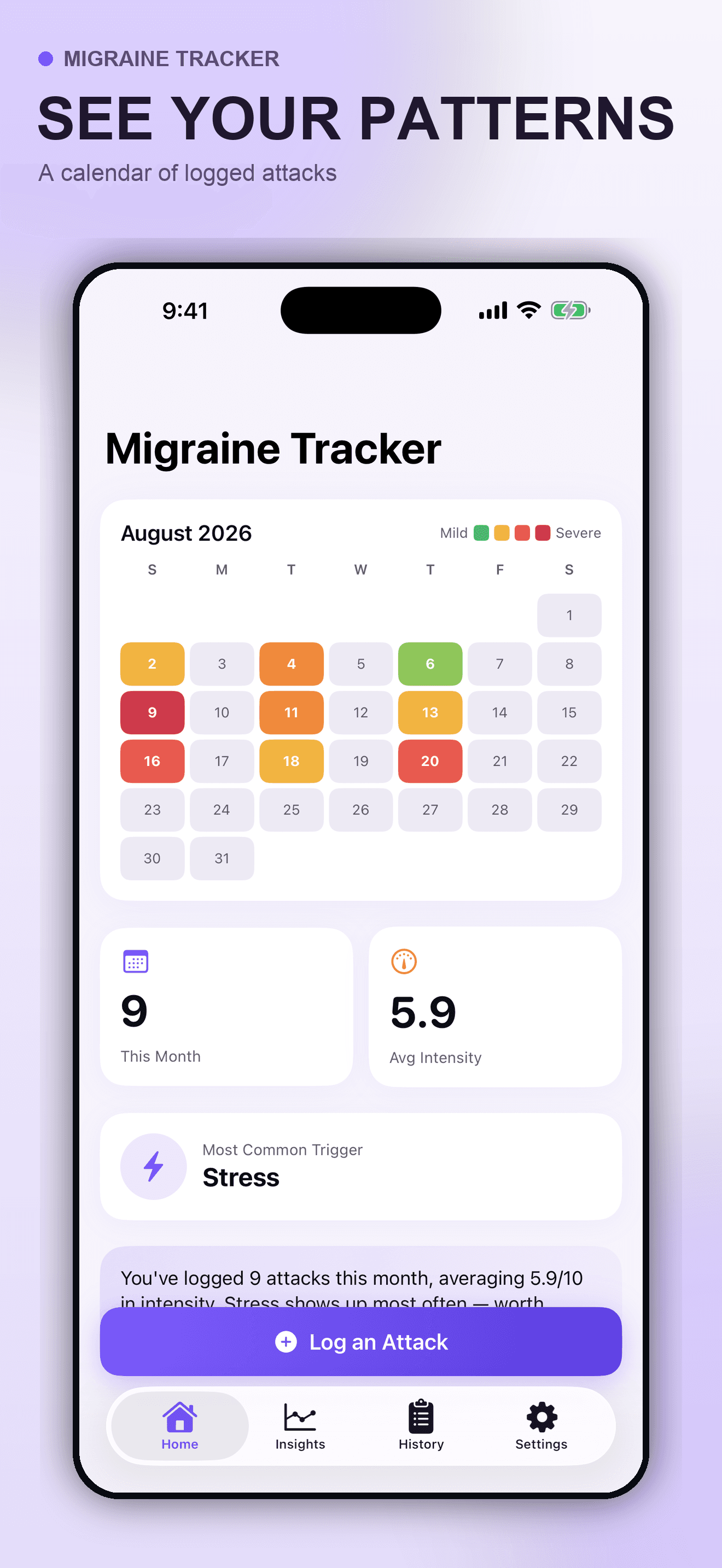
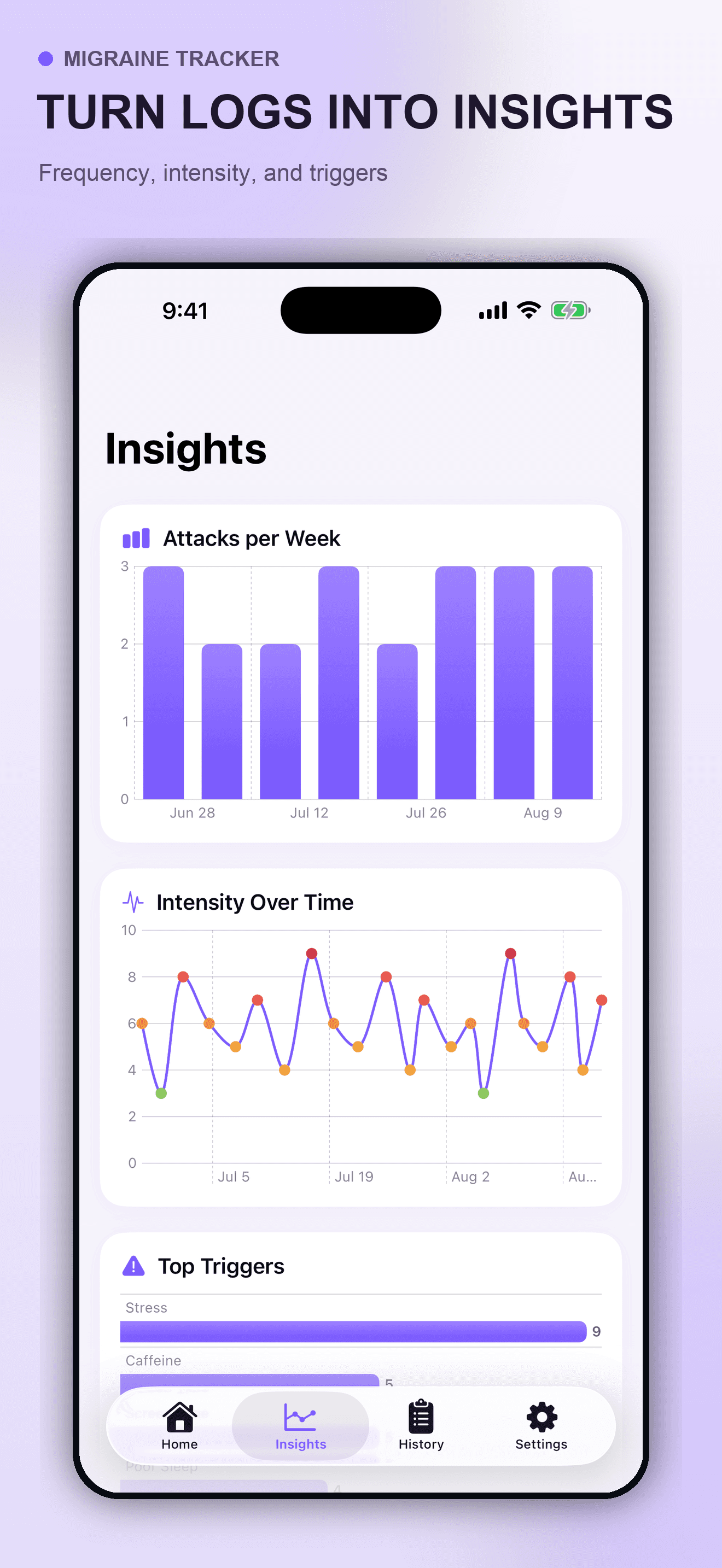
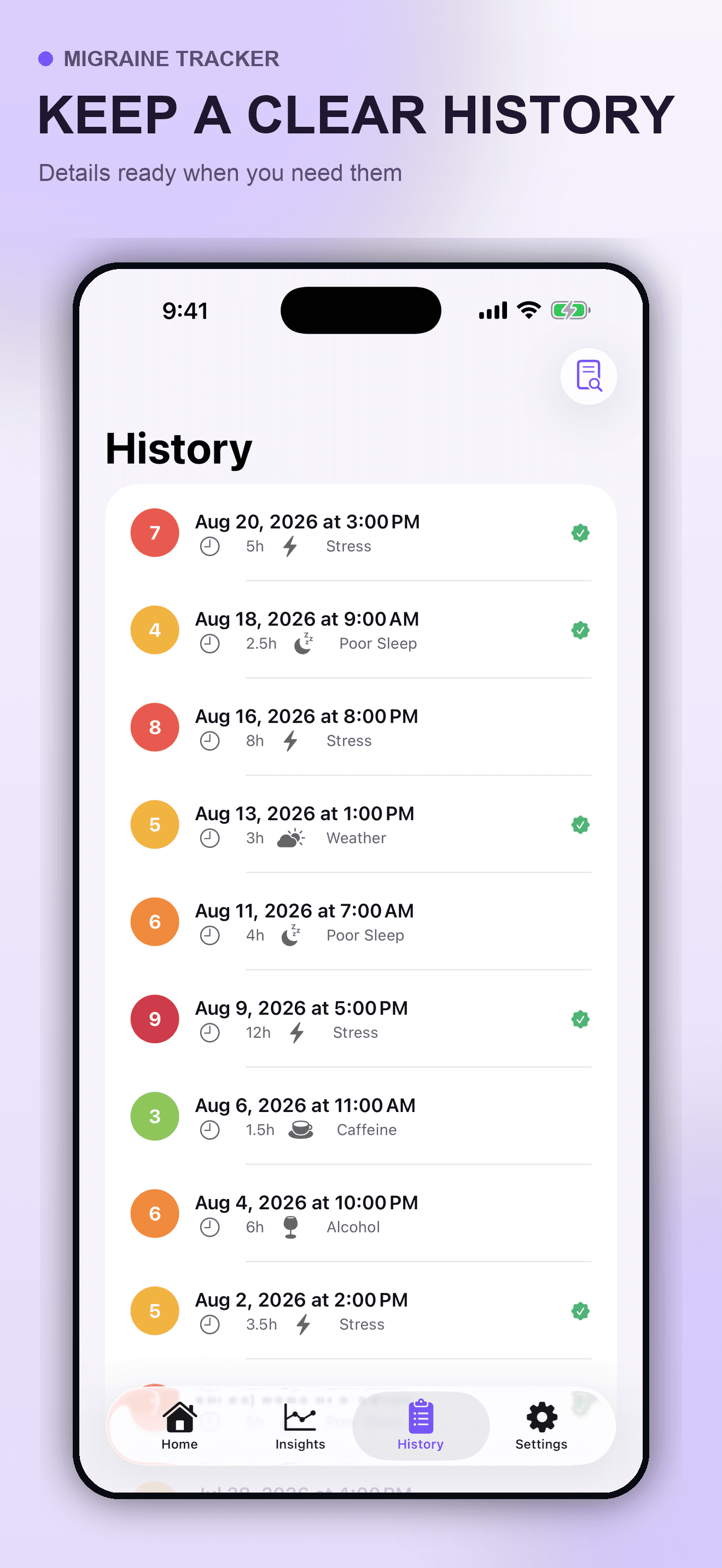
These are actual Migraine Tracker screens using fictional showcase entries. The app summarizes what the user records; it does not confirm that a logged item caused an episode, diagnose migraine or another condition, monitor a patient clinically, recommend medication, or replace professional or emergency care.
Try the app
Migraine Tracker keeps episode timing, intensity, symptoms, possible context, medication and relief notes, calendar activity, charts, and local history together on the iPhone. Use it as a private documentation tool and take medical questions to a qualified clinician.
Primary references
These references support the diary, uncertainty, and emergency boundaries in this guide. They do not endorse Migraine Tracker, and urgent-care routes and medical advice vary by country and individual circumstances.
Direct answers
A practical minimum is the date, start and end or duration, intensity on a consistent scale, symptoms, functional impact, medication or relief measures actually used, their timing and observed response, and any context worth discussing. Your clinician may ask for different or additional fields.
Use a schedule you can sustain. Some people record only episode days; others make a brief daily note, including symptom-free days. Recording close to the event can reduce recall errors, while a clinician can advise what frequency and time window are useful for your specific evaluation.
It can show repeated associations in what you entered, but association is not proof of causation. Migraine symptoms can also begin before someone notices a supposed trigger, and not every attack has an avoidable trigger. Review suspected patterns with a qualified clinician before changing diet, medication, or other care.
No. A diary can document symptom and headache days for a clinical conversation, but diagnosis depends on medical history, clinical criteria, examination, and sometimes investigation of other causes. The app does not diagnose, prevent, monitor, or treat any condition.
No. Record what you actually took and the effect you observed, but follow the label and your clinician’s instructions. Do not start, stop, increase, reduce, or repeat medication because of an app chart or automated summary.
Do not rely on a diary or app during an emergency. Seek immediate local emergency help for stroke signs such as sudden one-sided weakness or numbness, trouble speaking, seeing, walking, balance or coordination problems, or a sudden severe headache with no known cause. A seizure, serious head injury, or a suddenly extremely painful headache also needs urgent assessment.
The submitted initial release stores entries locally in the app’s private container on the iPhone and does not require an account. Include only information you are comfortable keeping on that device.