Paste, import, or scan
Start from pasted text, a supported file, an image in your gallery, or a camera scan.
Plain-English document review with visible safeguards
Bring in a contract or other legal document, review the summary, costs, open questions, and party balance, then ask follow-ups grounded in the text you supplied.
Built for the task
Paste, import, or scan
The short answer
A direct definition for readers, search engines, and answer systems.
AI Lawyer is an iPhone document-analysis app that accepts pasted text, files, gallery images, or camera scans. It organizes AI-generated summaries, involved parties, financial terms, potential issues, common questions, recommendations, and document-grounded follow-up chat. Optional on-device masking can replace some detected personal details before text is submitted for analysis.
AI Lawyer is not a lawyer, law firm, or legal service. AI output can be incomplete, outdated, or wrong. Do not submit privileged or unnecessarily sensitive information, and verify consequential decisions with qualified local counsel.
Inside the app
Every feature supports the same workflow, so the app feels like a system rather than a folder of disconnected AI buttons.
Start from pasted text, a supported file, an image in your gallery, or a camera scan.
Compare the generated explanation with the original text and keep the app’s uncertainty and legal-advice warning visible.
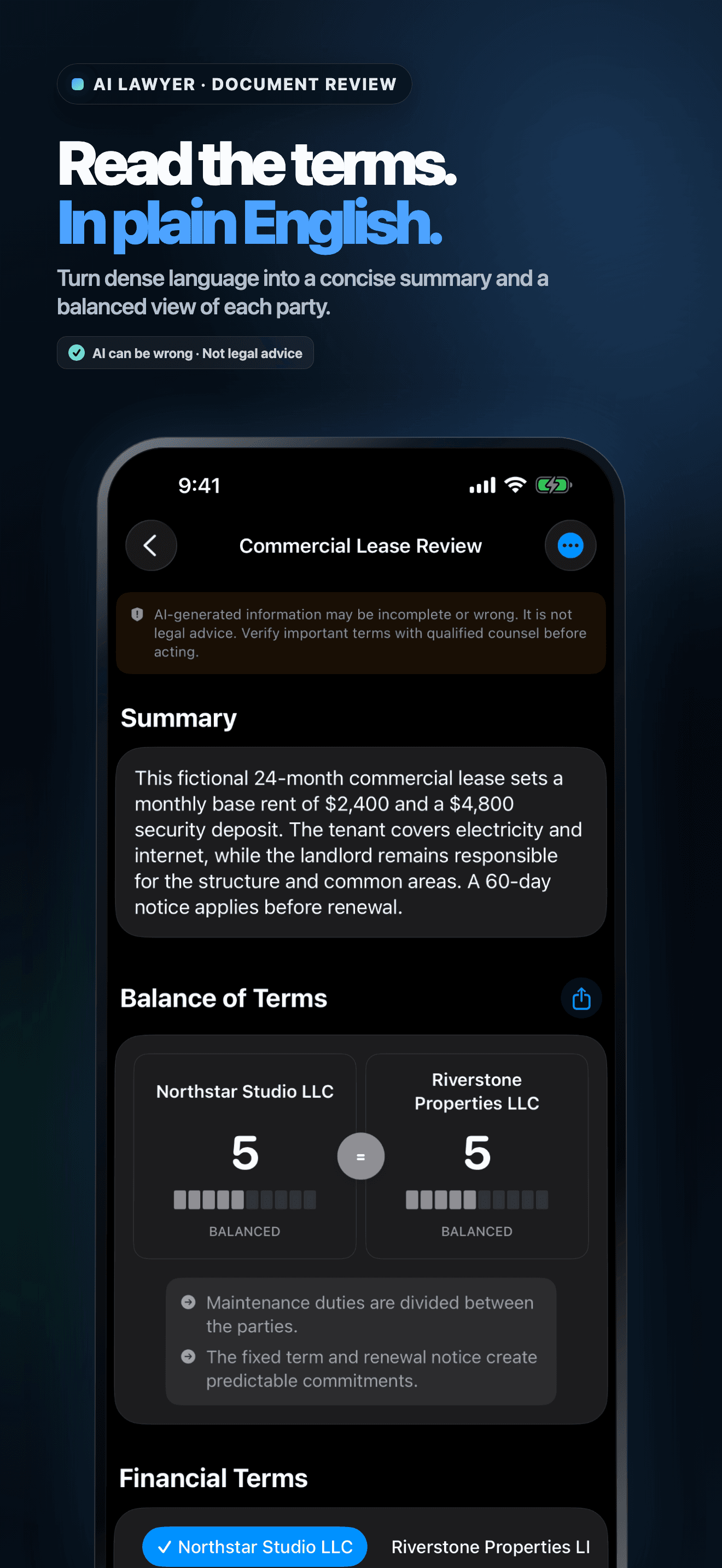
Review involved parties, balance, financial arrangements, potential issues, common questions, and recommendations.
Ask about unclear clauses while retaining the selected party and supplied document as context.
Use optional on-device detection to replace some names, organizations, addresses, emails, and phone numbers before analysis.
Save document text, analysis, chat history, and privacy-placeholder mappings in the app, with private iCloud sync when available.
Product tour
Real screens from the current iPhone experience.


How it works
Paste or import the relevant document and remove unrelated, privileged, confidential, or sensitive information before analysis.
Check the extracted text and optional masking. Detection is not guaranteed, so confirm every placeholder and remaining detail yourself.
Use the structured review and follow-up chat to find what deserves attention, then verify consequential decisions with qualified local counsel.
Who it helps
Direct answers
No. The app provides AI-generated document information that can be incomplete, outdated, or wrong. It does not create a lawyer-client relationship or provide legal advice, representation, or a definitive statement of legal validity.
The app can start from pasted text, supported files, gallery images, or camera scans. Extraction quality depends on focus, lighting, layout, handwriting, and whether the complete document is visible.
No. On supported devices it can look for some names, organizations, addresses, email addresses, and phone numbers, but detection is not guaranteed. You decide what to mask, edit, or restore and must review the exact text before submitting it.
Document text, AI analysis, chat history, credit state, and placeholder mappings are stored in the app and may sync through your private Apple iCloud account when available. Text you approve for an AI feature is sent through AIProxy to Anthropic for processing.
Available on the App Store
Free download · credits and optional subscription. Built by Ideas All Day Ltd for iphone · ios 26+.
Download on the App Store