01
Whole body and appendages
Keep the head and body in frame. Make the number, position, and shape of legs, antennae, wings, mouthparts, tails, pincers, and other appendages visible without touching the animal.
Practical guide
A focused photo can help you form a possible insect, spider, or other arthropod match by comparing body shape, appendages, markings, scale, life stage, habitat, and host clues. Similar species can require microscopy or expert examination, so treat the result as a shortlist—not proof of identity, danger, or the cause of a bite.
iPhone · Possible match, species context, and private discoveries
What to look for
A colorful pattern may be shared by unrelated species. A stronger candidate accounts for the animal’s whole body plan and the place, host, season, and behavior around it.
Keep the head and body in frame. Make the number, position, and shape of legs, antennae, wings, mouthparts, tails, pincers, and other appendages visible without touching the animal.
When it is safe and possible without handling, compare dorsal and side views and any naturally visible underside. Some diagnostic markings or structures appear from only one angle.
Add a ruler or familiar object in the same focal plane and record whether you saw an egg, larva, nymph, pupa, juvenile, or adult. Young forms may look nothing like adults.
Record the plant, wood, soil, web, water, food, room, or other surface; the broad location and date; how many you saw; and nearby damage, droppings, shed skins, nests, or feeding signs.
Step by step
Do not touch, trap, crush, provoke, or move an unknown insect or spider just for a picture. Photograph from a comfortable distance and keep children and pets away when the animal, nest, web, or situation may be hazardous.
Use natural or bright indirect light, clean the lens, fill the frame without losing focus, and capture the whole animal plus closer detail. Avoid filters, screenshots of blurry video, and digital zoom that hides fine structures.
Include a scale reference, date, broad region, indoor or outdoor setting, host plant or material, number observed, movement, and any damage. Do not publish a private home address or the exact site of a sensitive species.
Check whether body regions, leg count, wings, antennae, markings, size, life stage, range, season, and habitat agree. A photo may support a genus or family while remaining insufficient for an exact species.
Use local Extension, an entomologist, public-health or veterinary professionals, a licensed pest professional, or the relevant plant-protection authority when identification affects a bite or sting, infestation, pesticide use, invasive-pest report, or other consequential action.
Inside the app
These are actual Bug Identifier screens. The app organizes a possible visual match, species context, and general bite or sting information; it cannot confirm an exact species, determine what caused a skin mark, predict an individual reaction, or replace medical, veterinary, or pest-control advice.
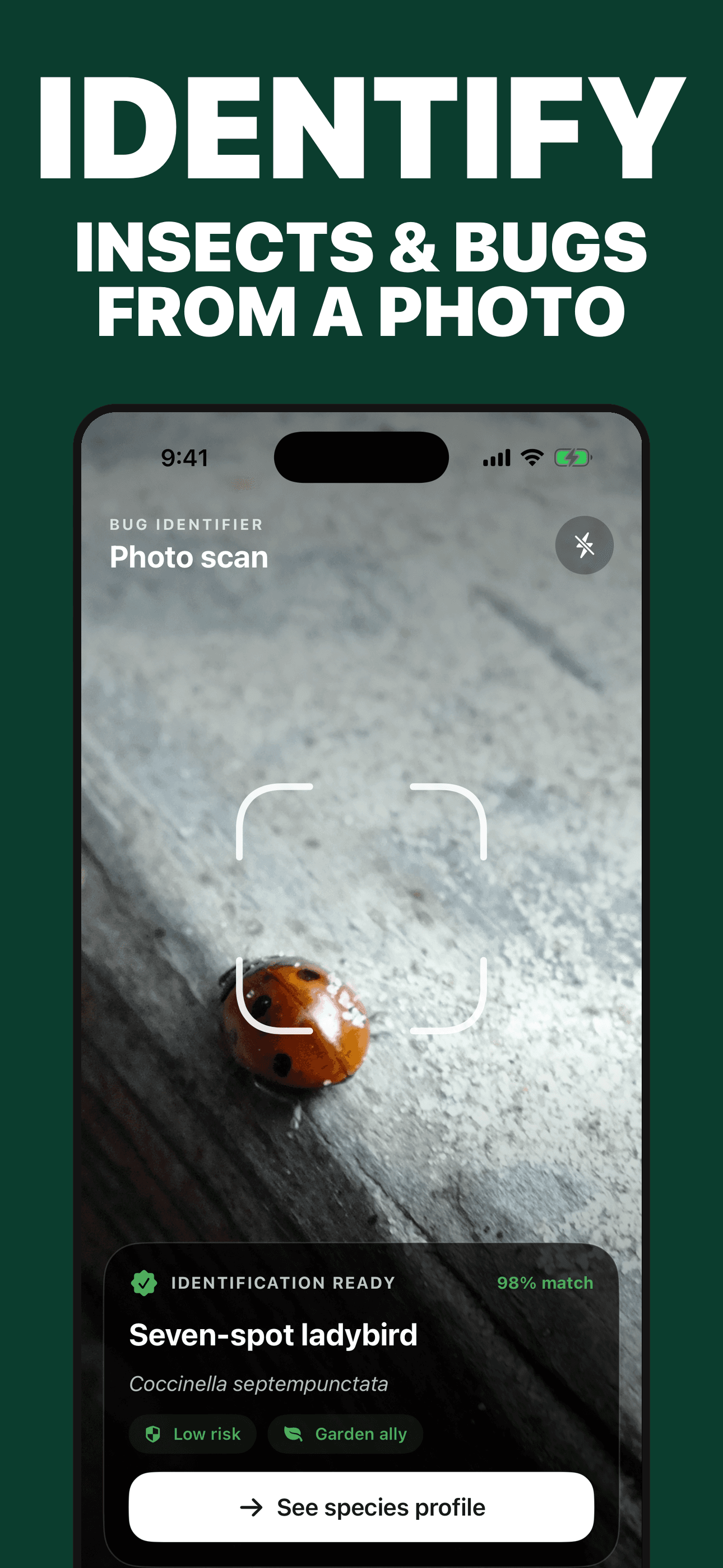
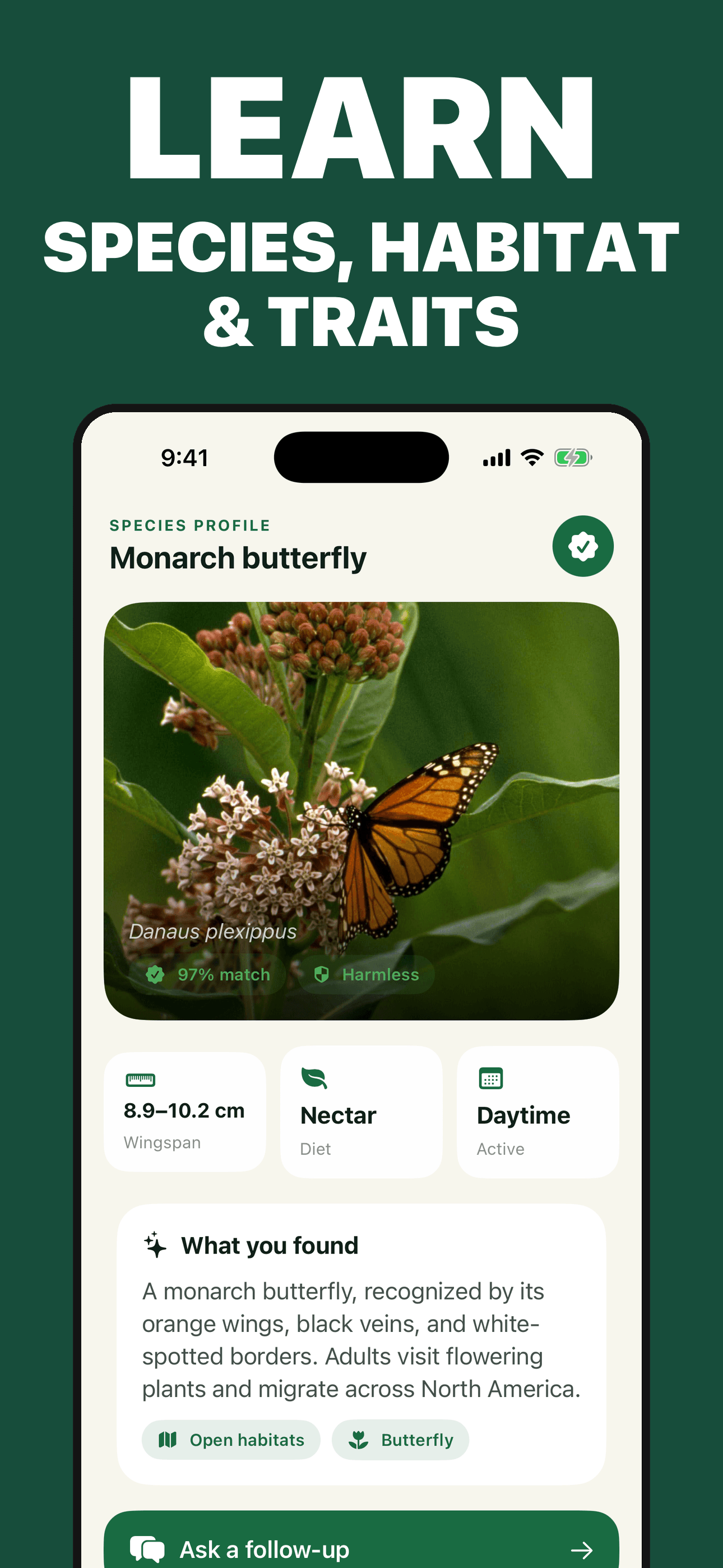
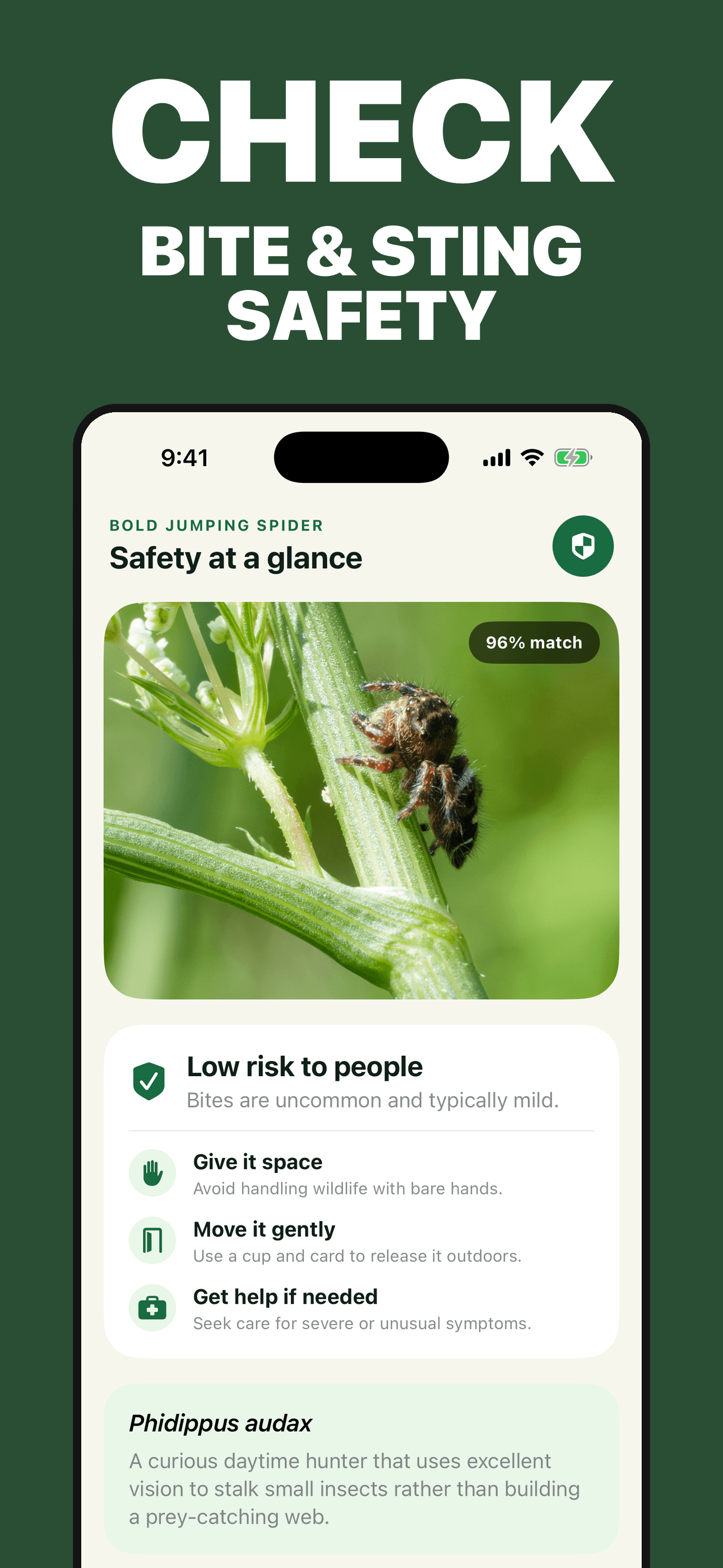
Try the app
Bug Identifier analyzes a selected photo for a possible insect, spider, or arthropod match, then organizes visible traits, habitat, behavior, lifecycle, general safety context, follow-up questions, and a private discovery log. Verify important decisions with the appropriate local expert.
Primary references
These references support the photo, identification, pest-management, and bite-or-sting boundaries in this guide. They do not endorse Bug Identifier; emergency contacts and reporting routes vary by country.
Direct answers
Use a sharp whole-body photo plus additional safe angles, then compare body regions, legs, antennae, wings, mouthparts, markings, size, life stage, host, habitat, date, region, behavior, and nearby evidence. Treat the proposed name as a candidate and check plausible alternatives.
Fill the frame while keeping the animal sharp, use good natural or indirect light, include a size reference in the same focal plane, and show the whole body plus top and side details. Add where and when it was found, what it was on, how many appeared, and any related damage.
It can suggest possible spiders and other arthropods as well as insects. Spiders are arachnids, not insects, and small, juvenile, damaged, hidden, or visually similar specimens may not be identifiable to species from a photo.
No. A skin mark or symptom usually does not prove which animal caused it, and an app result from a nearby specimen does not establish causation. Seek medical or poison-center guidance for worsening local symptoms, systemic symptoms, breathing difficulty, a serious exposure, or other urgent concern.
No photo result can guarantee that handling is safe or predict an individual bite, sting, allergy, or venom response. Keep a safe distance, avoid bare-hand handling, and use local expert or emergency guidance when the situation could be hazardous.
Not automatically. Many insects are harmless or beneficial, and seeing one animal does not always require control. Confirm the pest, monitor the situation, identify an action threshold, use prevention, and choose the least-risk effective control with authoritative label and local guidance.